Global Permissions Option
Note
If global permissions have been set for an account or a group, all individually set permissions are overridden. A permission activated in a specific object remains valid even if the globally set permission is disabled.
Note
To assign global permissions for individual functions under Domains, Tags and Networks, you must activate the permissions for creating, reading, or changing at the top level.
Only then can you customise the underlying functions according to your needs for individual users or groups.
Since permissions are inherited hierarchically, activating or deactivating create, read, and modify permissions affects all functions below them.
If a user is not granted permissions for certain functions, then the permissions that are not required must be revoked retrospectively.
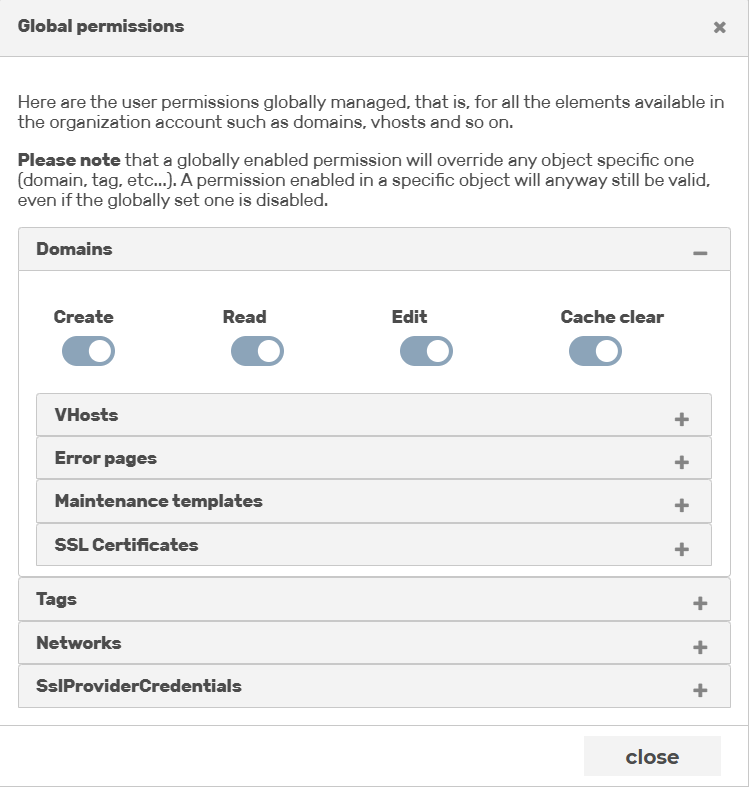
Global permissions dialog
The Global permissions button opens the Global permissions dialog for setting the global permissions of an account or a group, which are valid independently of specific domains, tags, or networks.
The dialog is divided into the three areas Domains, Tags, and Networks and enables or disables the assignment of individual rights via the individual toggles.