Copy tag
Note
Tags of the Information type cannot be copied.
Proceed as follows to copy a tag:
- ► Open the Tags view, see Section Tags.
- ► Click on the tab of the required tag type.
- ► Click on the
 icon in the row of the required tag.
 - ↳ The view for copying the tag opens, see Section Create tag / Properties and assignment / Copy tag.
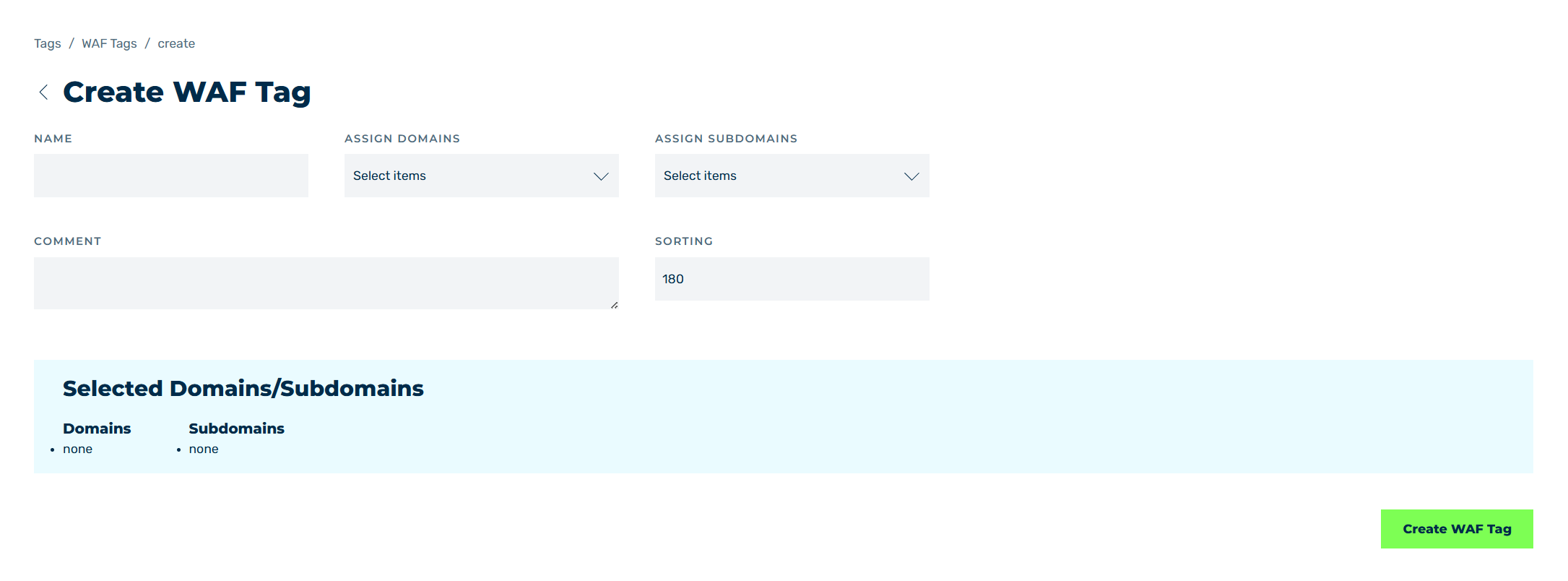
Sample structure using a Create WAF tag
- ► In the text field under NAME, enter a name for the copy.
- ► In the Assign Domains and Assign Subdomains drop-down lists, select the domains and subdomains the copy is to apply to.
- ► If necessary, enter an individual description in the text field under COMMENT.
- ► If necessary, enter a number for the position of the copy in the text field under SORTING.
- ► Click on the Save button.
- ➔ The Tags view opens and the copy appears in the Custom Tags area.
Note
By default, all WAF rules in a Myra Tag have the processing chain enabled under OPTIONS and Log as the action. After copying a Myra Tag, you must activate each WAF rule within the copy manually, see Section Activating WAF rule.