Create new API token dialog
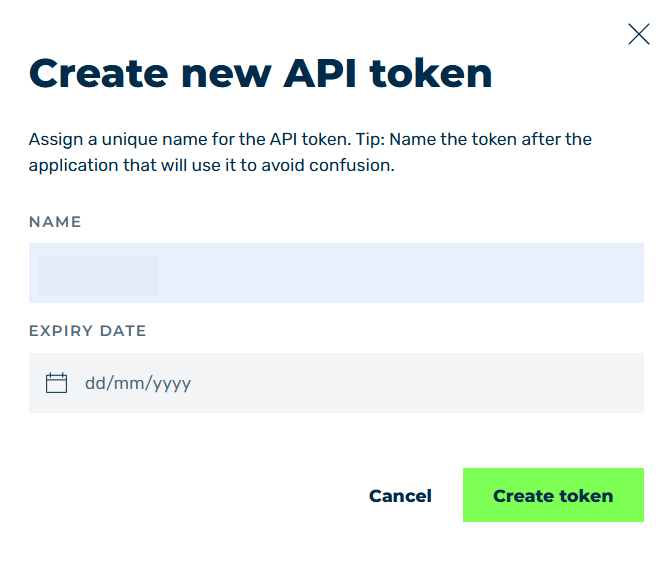
Create new API token dialog
In the Create new API token dialog, you can create a new API token.
The following options are available:
| Name | Definition |
|---|---|
| NAME | Defines an individual name for the API token. The name should help you assign the API token’s purpose to a specific use, such as an application name. |
| Expire Date | Defines a validity date on which the token expires.NoteSpecifying an expiration date is optional and does not need to be set when creating an API token. |
The following information is available after clicking on the Create token button:
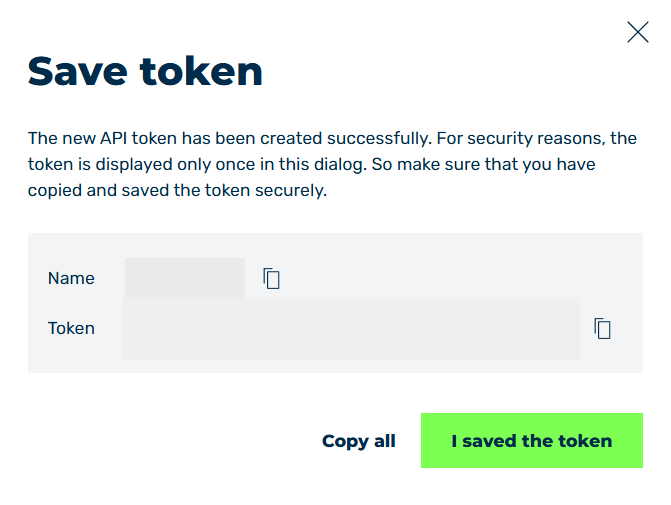
Save token dialog
| Name | Definition |
|---|---|
| Name | The individual name of the token. |
| Token | The new entry’s API token. |
 |
The icon copies the corresponding content to the clipboard. |
| Copy all | The button copies all entries to the clipboard. |
| I saved the token | The button closes the dialog. |
Note
The API token is only visible when creating a new API token and should be stored in a secure place.
Once you click on the I saved the token button in the Save token dialog, you can only view the name, creation date and expiry date.
If you have lost the token, you must generate a new API token.