Subdomain settings
Subdomain settings for <domain name>
The Subdomain settings for <domain name> view is the main menu for configuring the subdomains of a domain. A table lists all the available subdomains that records have been created for under DNS Records view, and provides possible options for configuring them. Depending on whether you opened General or a specific subdomain, the settings made here apply to all subdomains of the corresponding domain or only to a specific subdomain. The configuration options are identical regardless of the respective assignment.
Proceed as follows to open the Subdomain settings for <domain name> view:
- ► Click on the Domains tab in the left navigation bar.
- ↳ The Domains view opens.
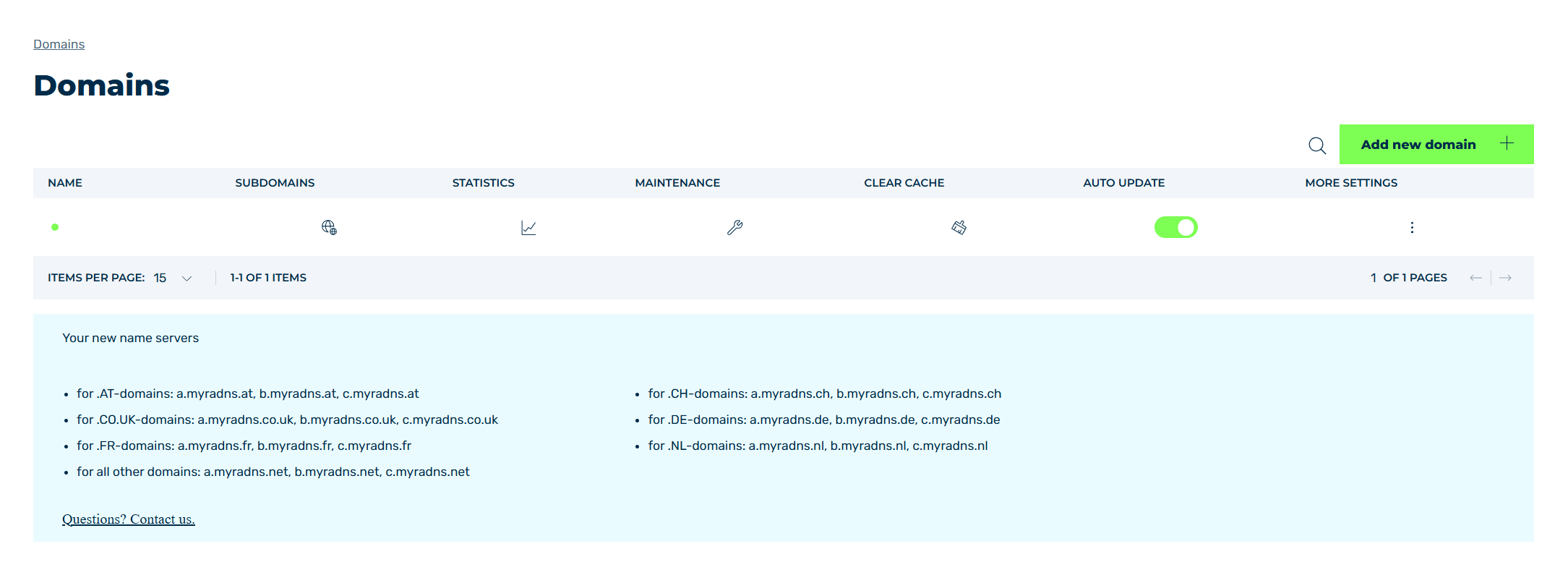
Domains view
- ► Click on the
 icon in the SUBDOMAINS column.
 - ➔ The Subdomain settings for <domain name> view opens.
The following information and options are available in a table:
| Name | Definition |
|---|---|
| DOMAIN | The status of Myra protection and the name of the subdomain. There is also a General entry that includes all the subdomains. A colored dot to the left of the subdomain name indicates whether Myra protection is enabled for the subdomain.
|
SETTINGS |
The icon opens the Settings view, which contains all settings for your subdomain. See Section Settings. |
REDIRECTS |
The icon opens the Redirects for <subdomain name> view, which contains all settings for redirects to other domains. See Section Redirects. |
CACHE SETTINGS |
The icon opens the Cache settings view for defining paths and objects to be cached. See Section Cache settings. |
IP Allow/Blocklist |
The icon opens the IP Allow/Blocklist for <subdomain name> view for defining allowed and prohibited IP addresses. See Section IP Allow/Blocklist. |
WAF |
The icon opens the Edit WAF rules for <subdomain name> view for adding and editing WAF rules. See Section WAF rules.NoteThe Web Application Firewall (WAF) can only be used if you have purchased it. This option is greyed out if you have not purchased the WAF. |
OVERVIEW |
The icon opens the Overview view, which shows an overview of all settings that have been set for the respective domain and subdomain. See Section Overview. |
 : Myra protection is disabled.
 : Myra protection is enabled.
Note
Settings made under General Settings affect all the subdomains of the corresponding domain, but do not override the individual settings of the respective subdomains.