New WAF Rule / Edit Rule
Note
For a detailed explanation of how to add a WAF rule and what to watch out for, see the WAF Manual.
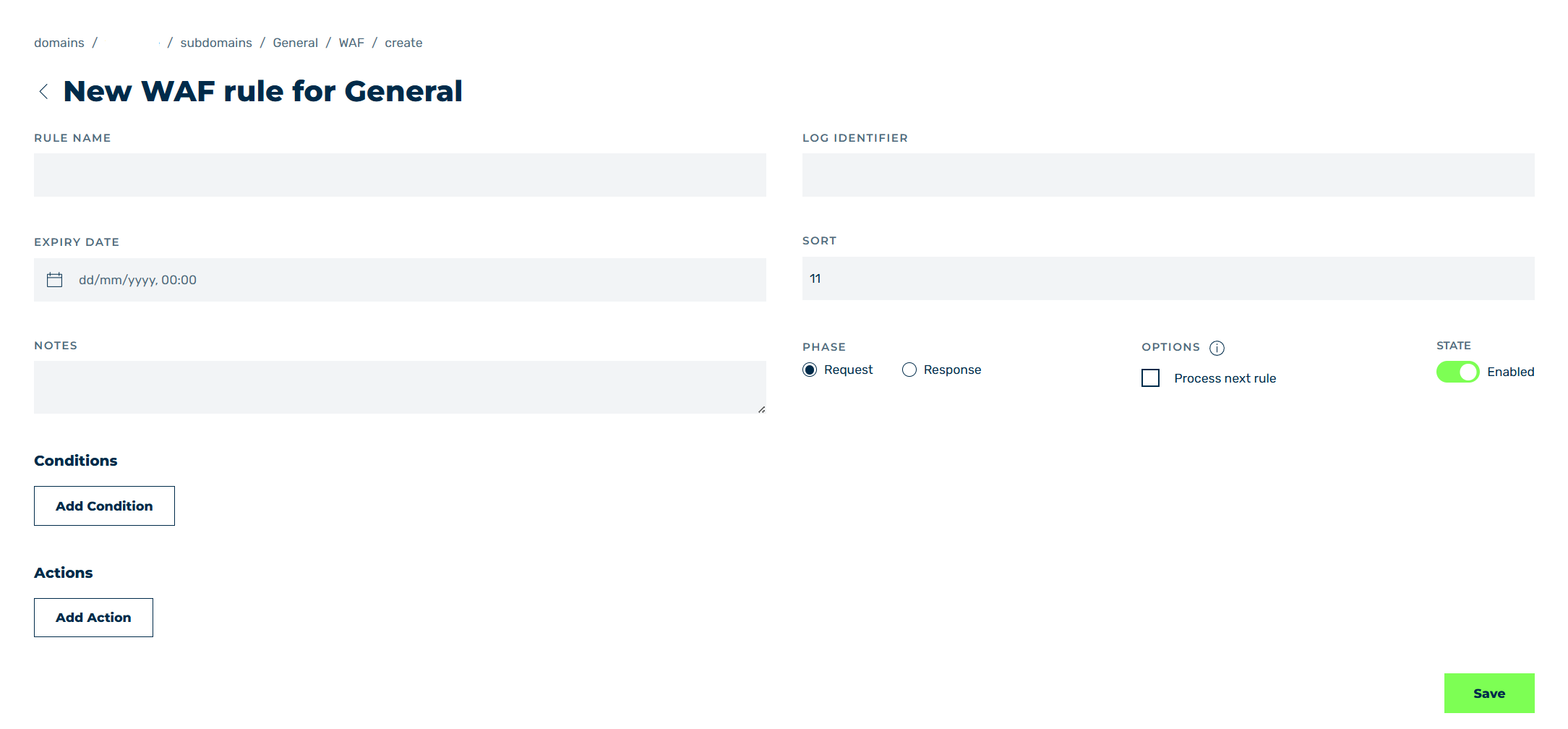
New rule view
In the New WAF rule for <subdomain name> and Edit WAF rule for <subdomain name> views, you can add new WAF rules or edit existing rules, depending on the selected option.
The following options are available:
| Name | Definition |
|---|---|
| NAME | Defines the name of the WAF rule. |
| Identifier | Defines a name that should be shown in the log for the WAF rule. |
| EXPIRE DATE | Defines an expiration date for the WAF rule if necessary. |
| SORTING | Defines a number for positioning the WAF rule in the sequence of all WAF rules if necessary.NoteWAF tags are processed according to their position in the sequence.NoteIf a value that has already been assigned is entered under SORTING, the WAF tag is set to this value and all subsequent tags are incremented by one. |
| COMMENT | Assigns a custom description. |
| REQUEST | Defines whether the WAF rule is a Request rule or a Response rule.NoteA response is handled as follows: Redirect IP Allow/Blocklist WAF Request Limiter Antibot A WAF rule has no effect on redirects or IP addresses on the allowlist or blocklist. If one of these conditions occurs before the defined WAF rule, the WAF rule is no longer executed.NoteThe phase can no longer be changed after adding a new WAF rule. |
| OPTIONS | Enables or disables whether all the following conditions are processed after a condition is met.NoteFor new rules, Myra recommends enabling the option to track in the logs which condition triggered when. In addition, Log must be added as an action.NoteThis option can only be enabled if Log has been selected as action, and no other action. Otherwise, you will not be able to save it. |
| STATUS | Indicates whether the WAF rule is enabled or disabled. |
| Conditions | The Add Condition button adds a new WAF condition to the WAF rule. The following conditions are available:
|
| Actions | The Add Action button adds a new action to the WAF rule when a condition is met. The following actions are available:
|
| Save | The button adds a new entry or changes it. |
 |
The icon closes the view and opens the WAF view. |