Maintenance Page
Maintenance Page view
In the Maintenance page view, you can view, edit, or delete existing maintenance pages. You can also add new waiting rooms. Maintenance pages are needed when the origin server is unavailable due to maintenance work or other technical problems.
Proceed as follows to open the Maintenance Page view:
- ► Click on the Domains tab in the left navigation bar.
- ↳ The Domains view opens.
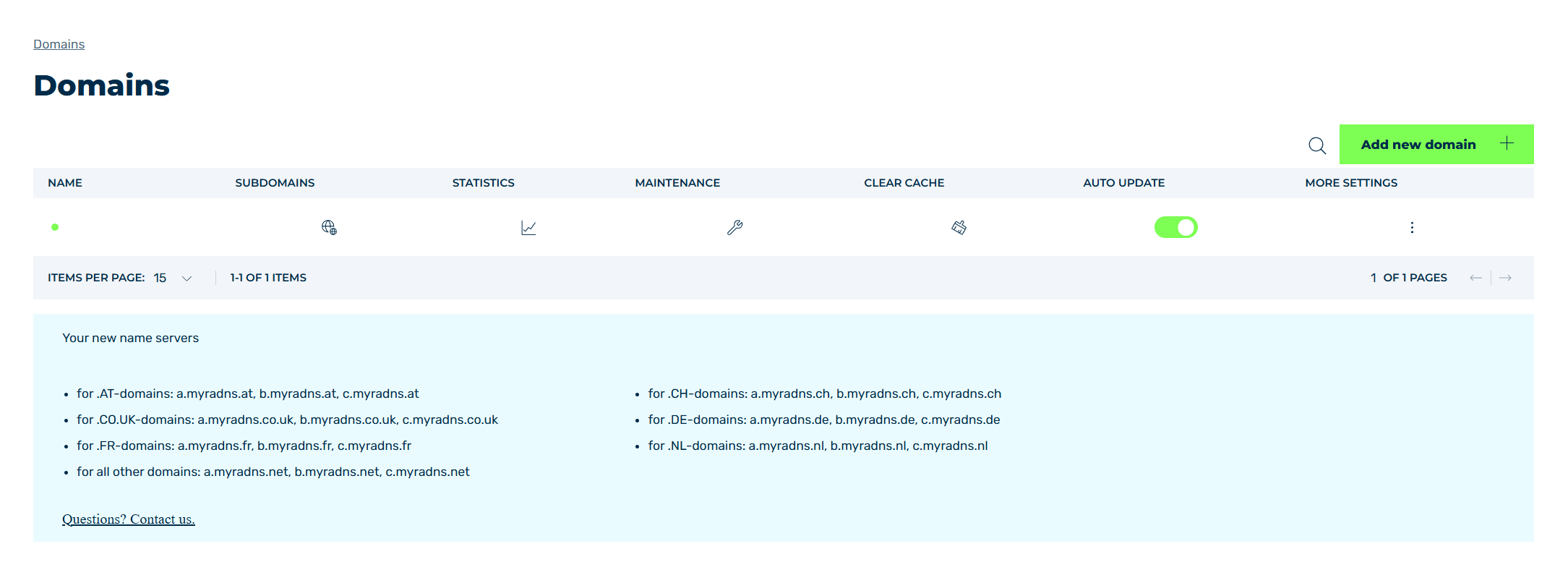
Domains view
- ► Click on the
 icon in the MAINTENANCE column.
 - ➔ The Maintenance Page view opens.
The Create new maintenance page button opens the Create new maintenance page view for adding new maintenance pages.
The table of created maintenance pages provides an overview of all maintenance pages that have been added and allows you to edit and delete them.
The following information is available:
| Name | Definition |
|---|---|
| SUBDOMAIN | The name of the domain that a maintenance page has been created for. |
| START | The start date that the maintenance page is active from. |
| END | The end date that the maintenance page is active until. |
The following options are available for each entry:
| Name | Definition |
|---|---|
 |
The checkbox selects an entry from the table. Clicking on the checkbox in the table header selects all entries. |
 |
The icon shows a preview of the maintenance page for the selected entry. |
 |
The icon downloads the maintenance page as an HTML file for the selected entry. |
 |
The search field filters entries by names. Click on the X to delete the search entry. |
 |
The icon closes the view and opens the Domains view. |
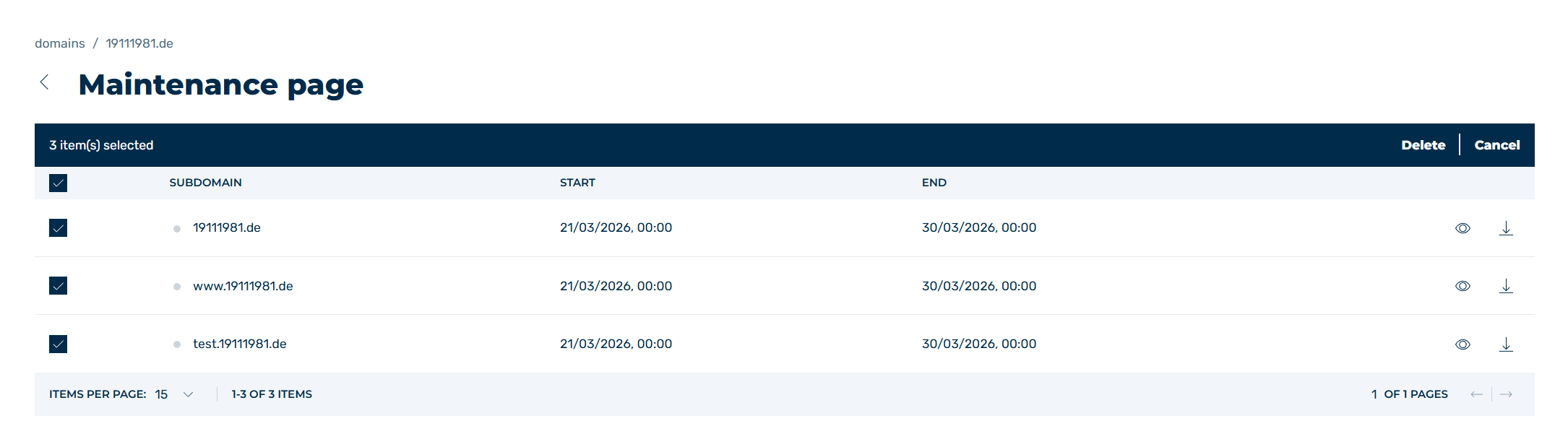
Selecting the Maintenance Page
When selecting one or all entries using the checkbox, the following options appear above the table header:
| Name | Definition |
|---|---|
| Edit | The button opens the Edit maintenance page view for editing the selected entry. |
| Delete | The button opens the Delete maintenance dialog for deleting the selected entry.AttentionWhen an entry is deleted, the entry and all associated settings are permanently deleted. To be able to restore an entry after deletion, you must create a brand-new one and reconfigure it. |
| Cancel | The button removes the selection for the selected entries. |