Allow only IP addresses on the IP allowlist
It is not always clear which IP addresses might cause problems for your web application. Often, the only information available is which IP addresses should always be allowed. For each subdomain, you can therefore specify in the settings that only IP addresses on the allowlist are allowed.
The following requirements must be met:
- ☑ A domain has been added, see Section Add a domain.
- ☑ A DNS record has been added for the required subdomains, see Section Add a DNS record.
- ☑ At least one entry has been added to the IP allowlist; see Section Add an IP filter or Section Import IP filter entries.
Proceed as follows to allow only IP addresses on the IP allowlist:
- ► Click on the Domains tab in the left menu bar.
- ↳ The Domains view opens.
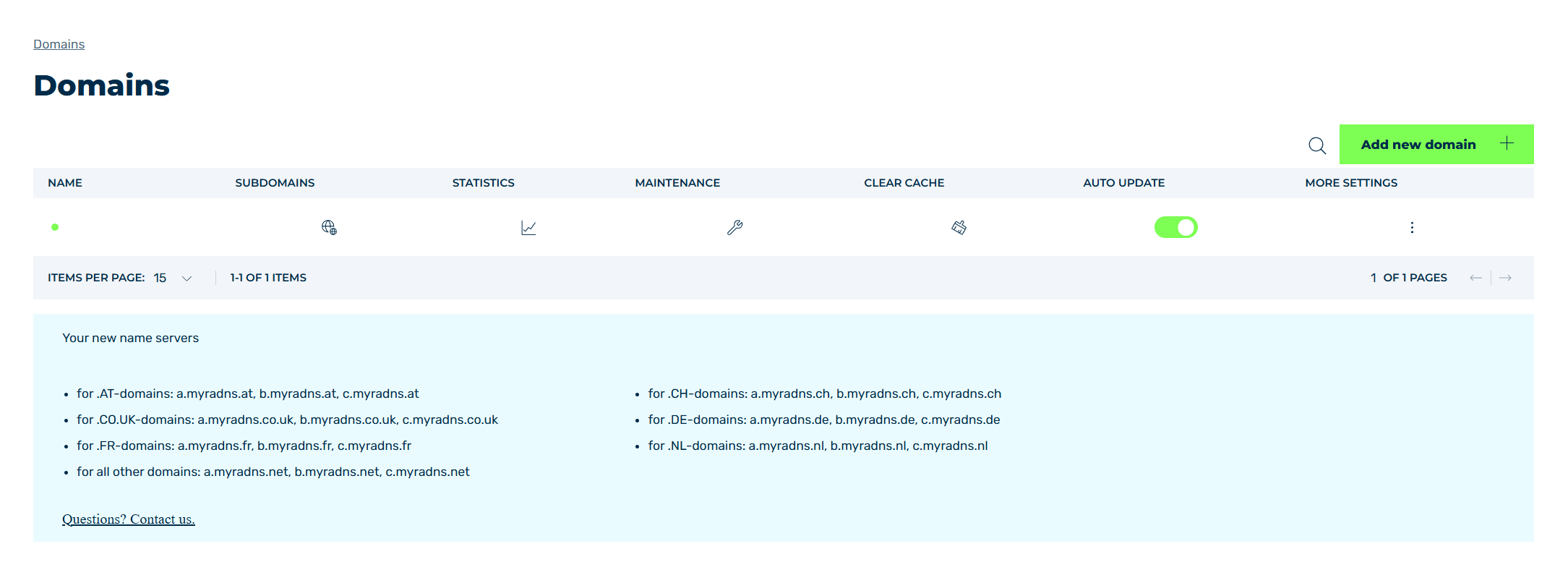
Domains view
- ► Select the relevant domain and click on the
 icon in the Subdomains column.
 - ↳ The Subdomain settings for <domain name> view opens.
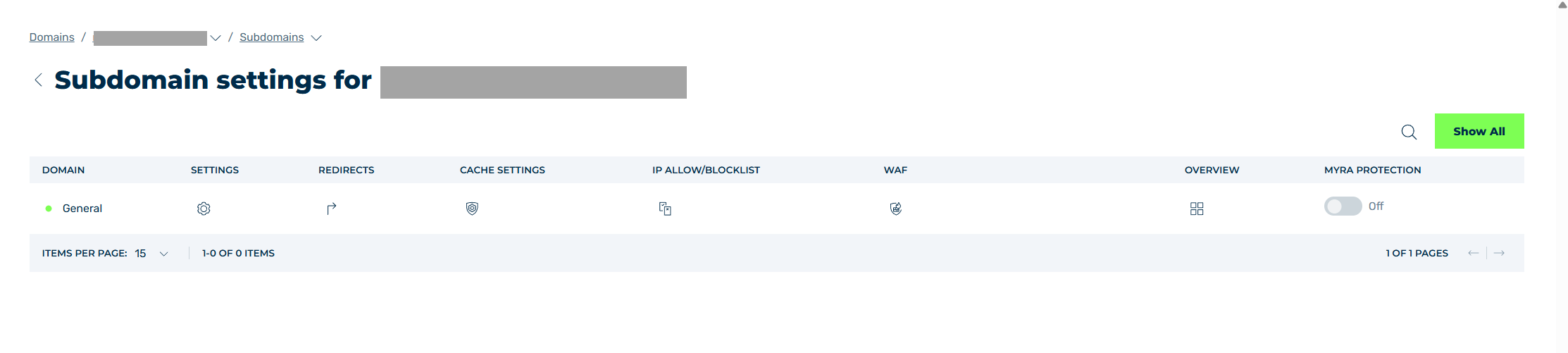
Subdomain settings view
- ► Select either General or a subdomain and click on the
 icon in the SETTINGS.
 - ↳ The Settings view opens.
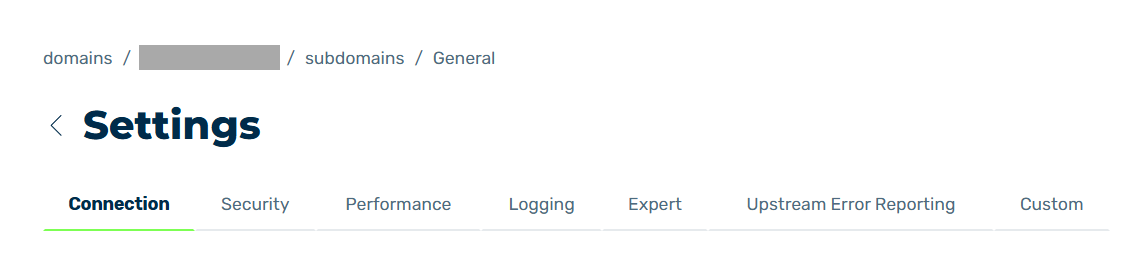
Settings view
- ► Click on the Security tab.
- ↳ The Security tab opens.
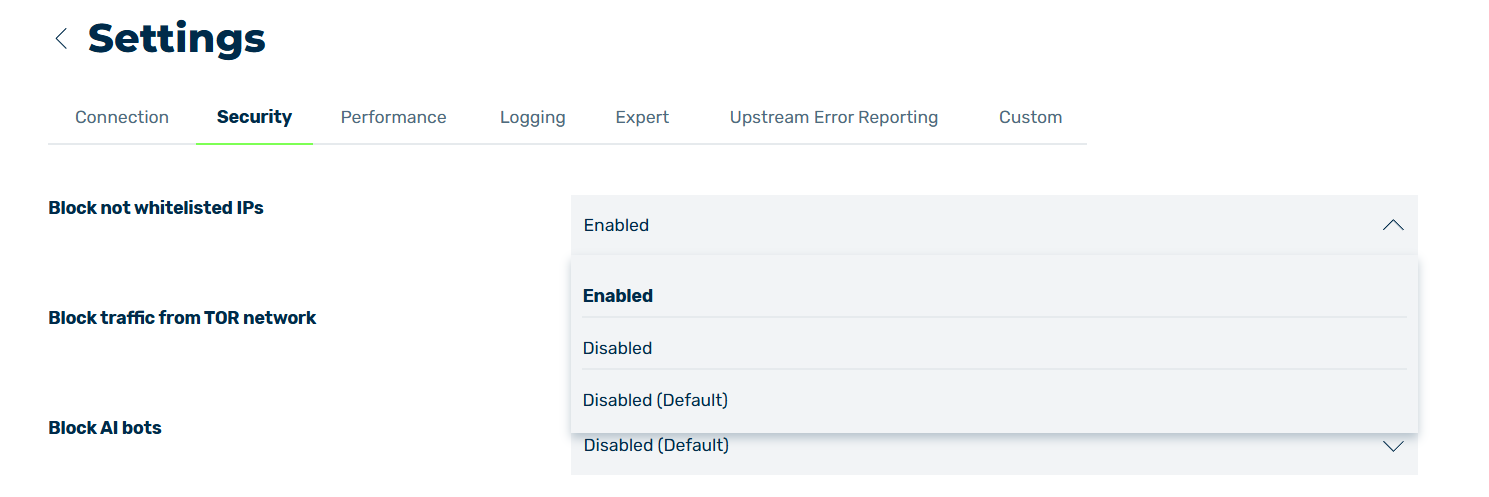
Allow only IP addresses on the IP allowlist
- ► Go to the Block IP addresses not on the allow list settings.
- ► Use the drop-down list to change the value to Enabled.
- ► Click on the Save button.
- ➔ A message confirms that the changes have been saved successfully, and the setting is now active.