Creating a DNS entry for object storage
For the redirection to the Myra CDN server, the CDN server must be created as a CNAME in the DNS records as a new DNS entry.
Proceed as follows to create a DNS entry for Object Storage:
- ► Click on the Domains button in the left navigation bar.
- ↳ The Domains view opens.
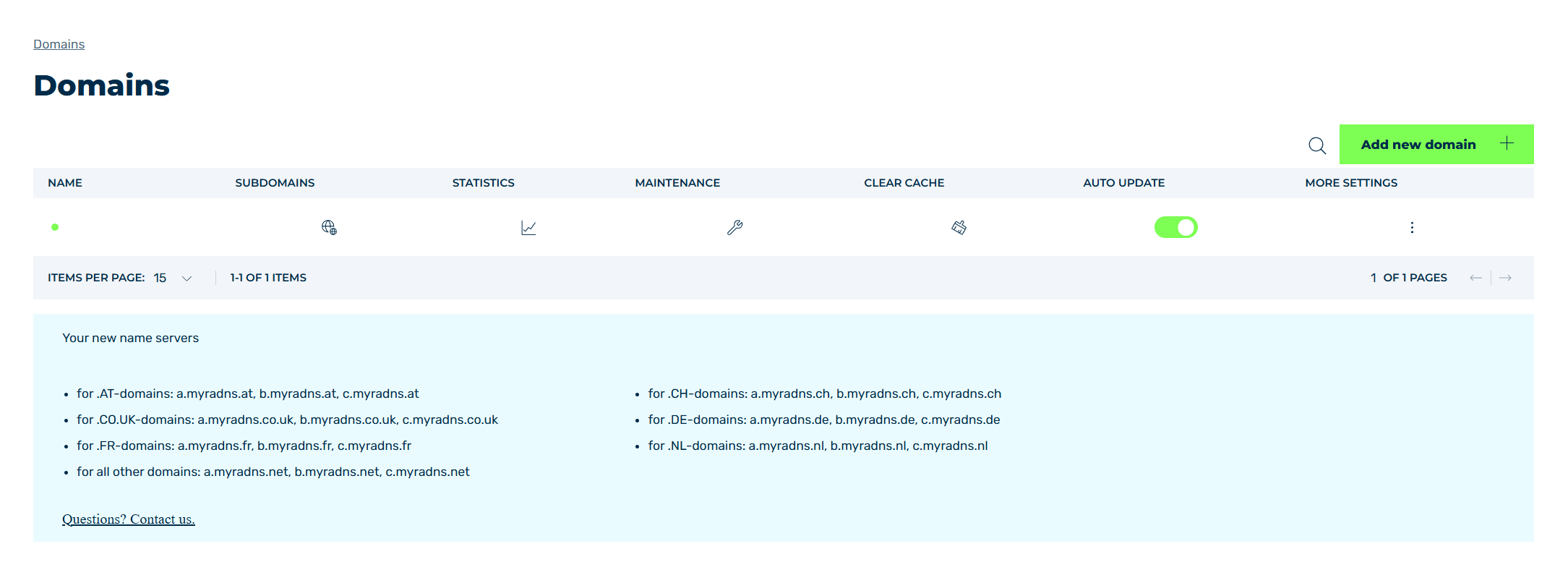
Domains view
- ► Click on the
 icon in the MORE SETTINGS column.
 - ► Click on DNS RECORDS in the list.
- ↳ The DNS Records view opens.
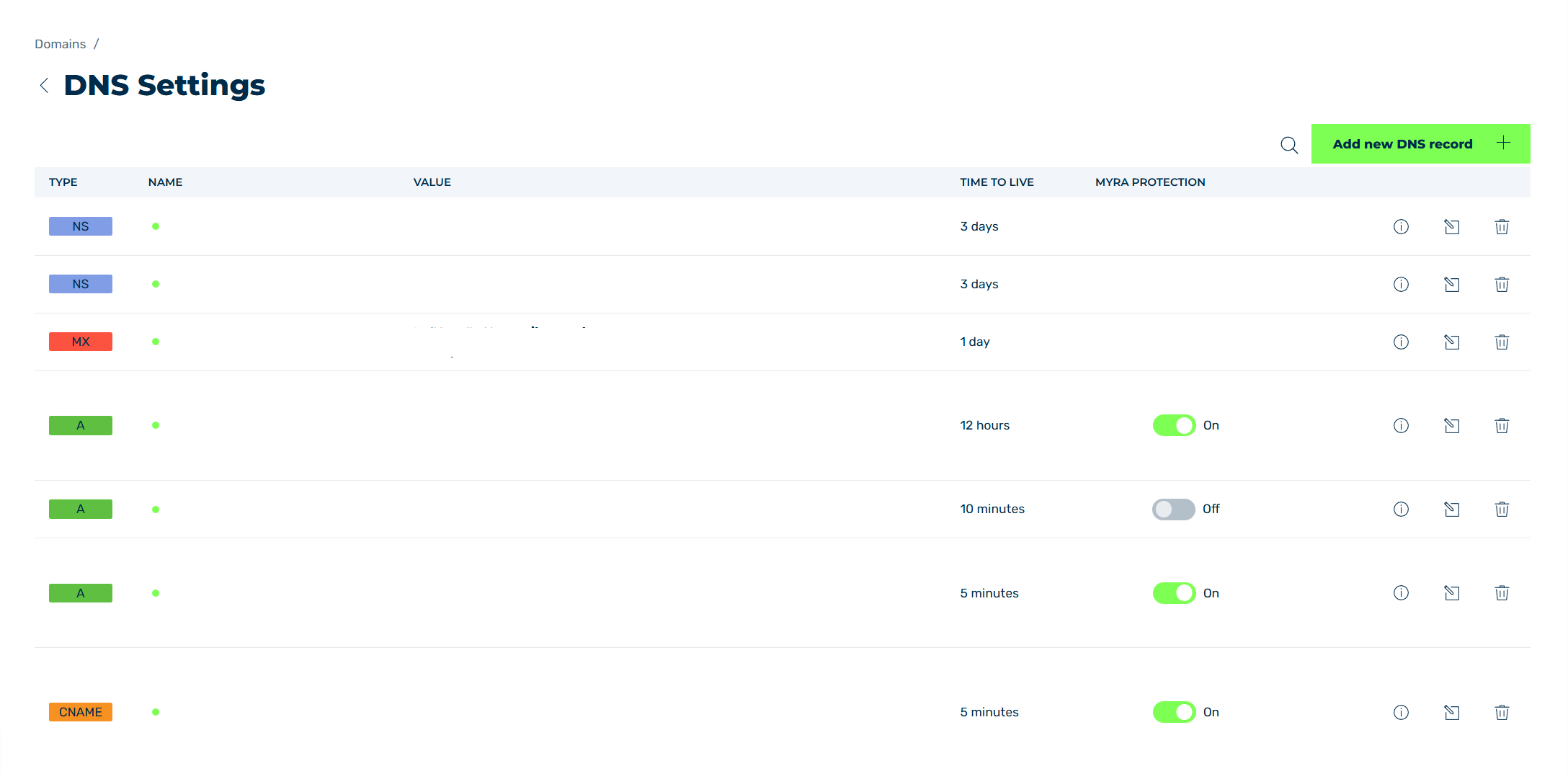
DNS Records view
- ► To create a new DNS entry, click on the button Add new DNS record.
- ↳ The Add new DNS record dialog opens.
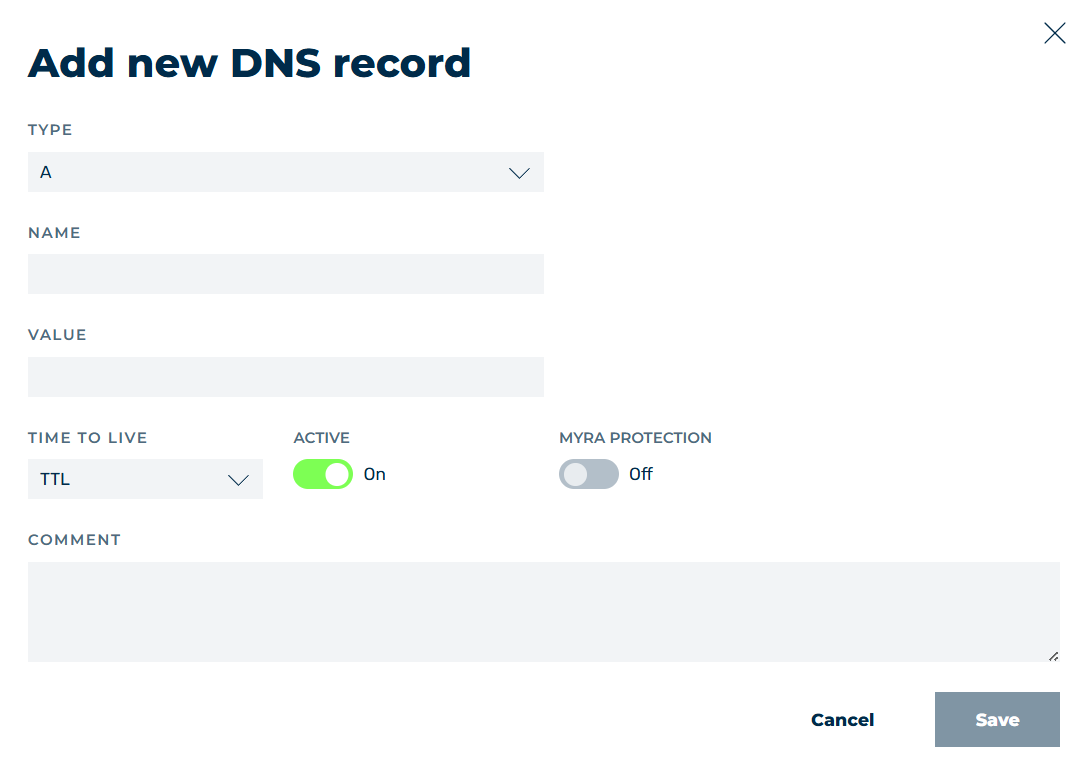
Creating a new DNS entry for the CDN server
-
► Fill out the fields in the dialog as follows:
- TYPE: Select the CNAME entry from the drop-down list.
- NAME: Enter the name of the CDN server, for example
cdn.myratest.de. - VALUE: Enter the Myra server
pcdn-origin.myracloud.com. - TIME TO LIVE: Select the appropriate time from the drop-down list. Myra recommends 5 minutes.
- ACTIVE: Set the switch to On.
- MYRA PROTECTION: Set the switch to On.
- COMMENT: Here you can optionally leave a note.
-
► Click on the Save button.
- ➔ The DNS record appears in the list of DNS records.