Edit DNS entry
Proceed as follows to add a DNS record:
- ► Open the DNS Records view, see Section DNS Records.
- ► Select the entry you want to edit.
You have the following options for editing entries:
Enable or disable Myra protection
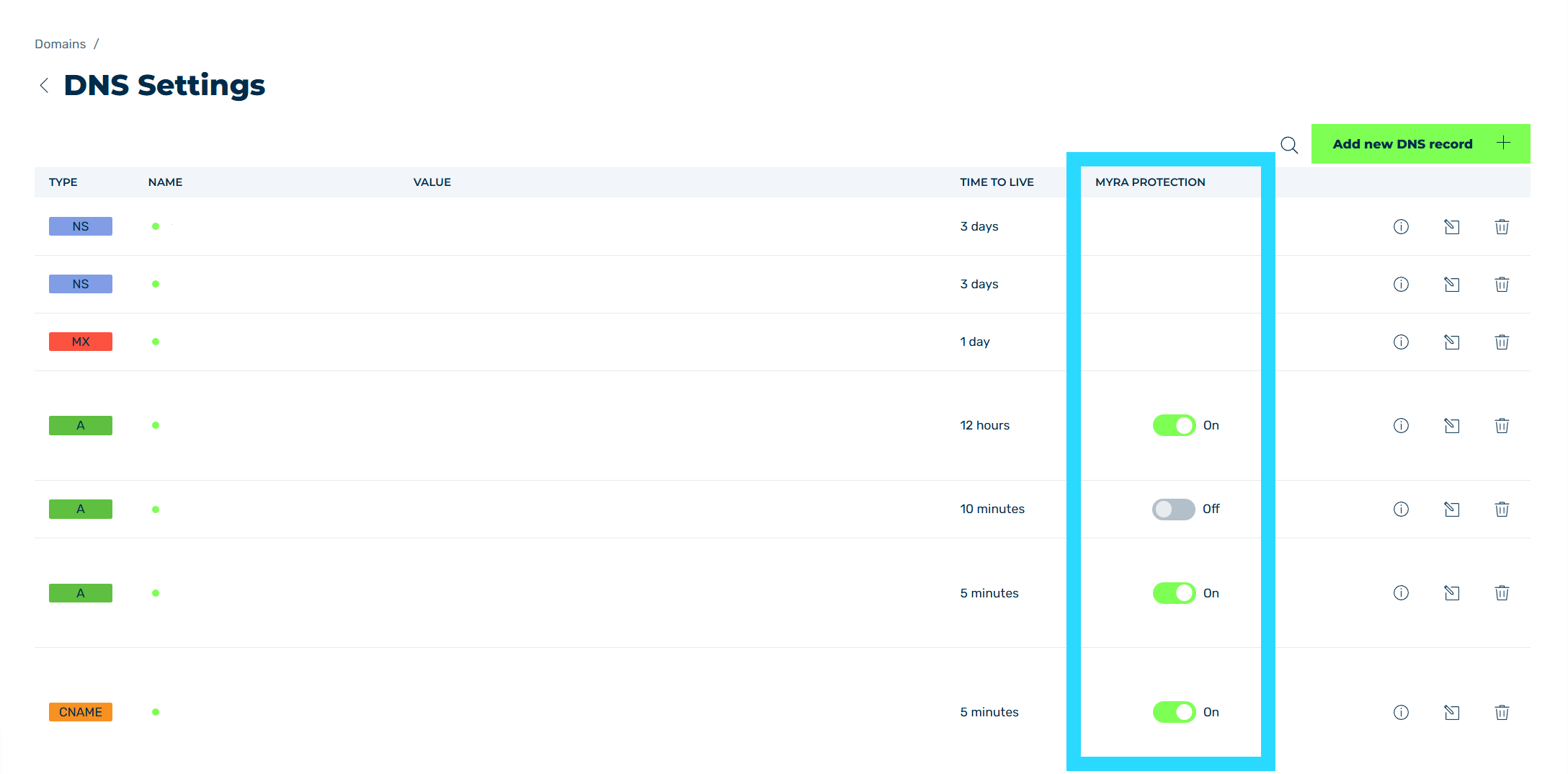
Enabling DNS entry
- ► Click on the switch in the MYRA PROTECTION column to enable or disable Myra protection for the entry.
- ➔ Depending on the action selected, the status of the switch in the MYRA PROTECT column changes.
Edit the entire entry
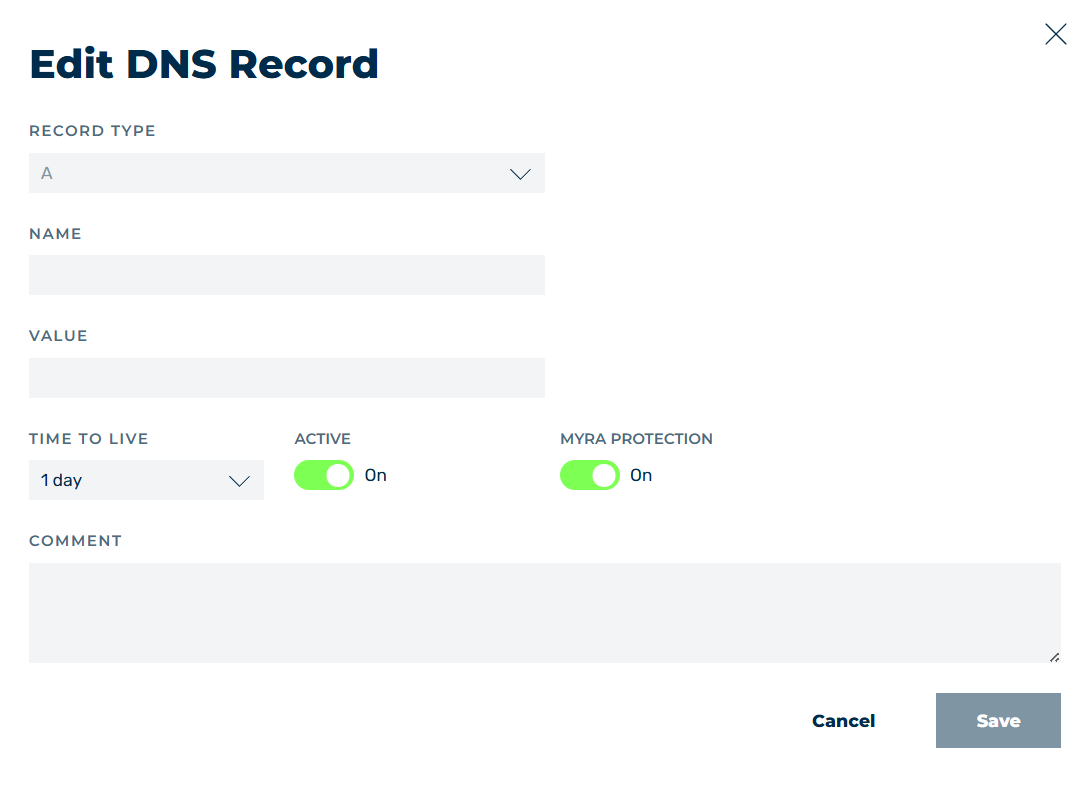
Edit DNS record
- ► Click on the
 icon.
icon. - ↳ The Edit DNS record dialog opens.
Edit DNS record
- ► Adjust the fields as needed, see Section Add new DNS record / Edit DNS record dialog.
- ► Click on the Save button.
- ➔ The dialog closes and the changes are saved.