User management
Note
The user management views are largely only available in the classic user interface.
The following views are also available in the new design:
- Managing Your Own Account
- Myra IP Ranges
The following views are only available in the new design:
- Admin Settings
Note
This view is only available in the classic user interface.
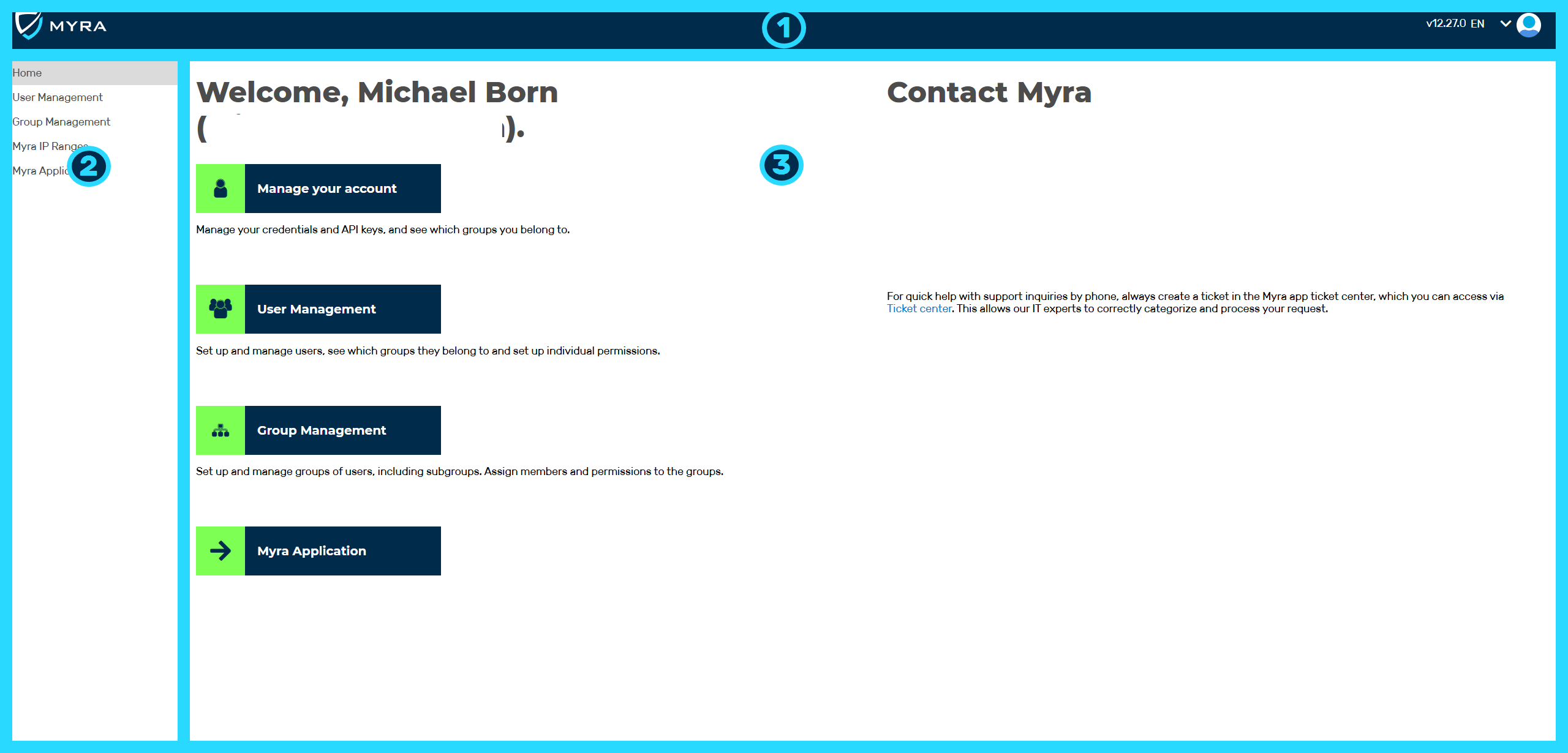
User Management overview
User management allows you to manage your own account using the home page or, as an admin, to create new accounts and permission groups, as well as define basic settings for accessing the Myra App.
The user management home page includes the following areas:
-
■ Top navigation bar with the following buttons (1):
- ■ Version Number
- ■ Language Settings
- ■ User profile
-
■ Left navigation bar with the following buttons (2):
- ■ Home
- ■ User Management (see Section User management)
- ■ Group Management (see Section Group Management)
- ■ Myra IP Ranges (see Section Help, Updates & More tab)
- ■ Myra Application (see Section Myra App views)
-
■ Main area with the following buttons (3):
- ■ Manage your account (see Section Profile)
- ■ User management
- ■ Group Management
- ■ Myra Application
- ■ Contact information for Myra Support, Sales Team and Customer Success Team
You can use the left navigation area or the main area to navigate to the individual available views from the user management home page.