Add a user's account
Note
You need admin rights to add, edit, or delete an account.
In order for your employees to use the Myra App, each user must be manually added to the app by an administrator via the user management area.
Proceed as follows to add a new account:
-
► Open the User Management view, see Section User management.
-
► Click on the Add user button.
- ↳ The Add user dialog opens.
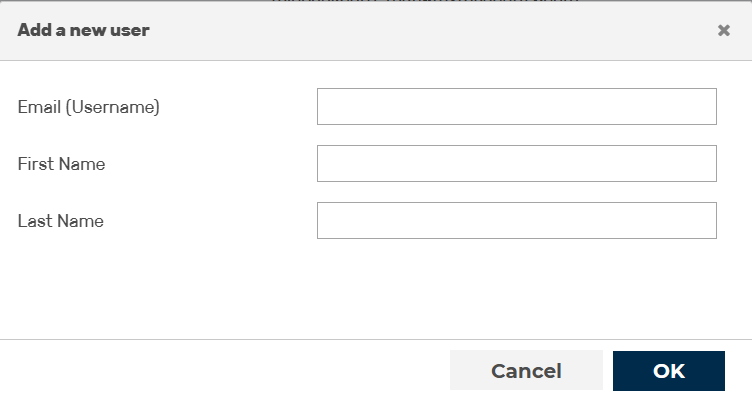
Add a new account
-
► In the text field next to Email (Username) enter the email address of the new account:.
Note
The email address for an account is also the login name.
-
► In the text field next to First name enter the user's first name.
- ► In the text field under Last name enter the name of the user.
- ► Click on the OK button.
- ➔ The dialog closes, and the new account appears in the list of users.
In addition, the user will receive an email notifying them of their new account and can begin the registration process.