Add users to a group
Note
To add a group, you need root group admin rights or sub group admin rights for the group under which the new subgroup is to be created.
The following requirements must be met:
- ☑ Users must already have an account in the Myra App.
Proceed as follows to add a user to a group:
- ► Open the Group Management view, see Section Group Management.
- ► From the list of groups, select the group to which the new users should be added.
- ► Navigate to the Account of the group area.
- ► Click on the Assign user to the group button.
- ↳ The Assign user to the group <group name> dialog opens.
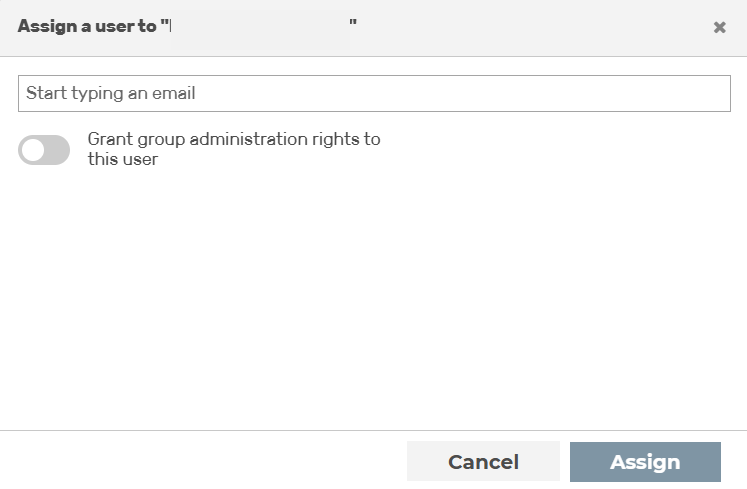
Assign a group to one or more accounts
- ► Enter the email address or name of the user in the text field and click on the desired entry in the results list.
- ► If necessary, enable the checkbox next to User should be an administrator of the group to assign the user admin rights within the group.
- ► Click on the Registration button.
- ➔ The Assign user to the group <group name> dialog closes and the account of the user appears in the list of users.