Admin Settings
Note
The view is only available for root admins of a group.
In the Admin Settings view, you can make basic settings for your own organisation for password use, login attempt limitations, and session and account validity. You can also store your technical contacts and escalation contacts.
Proceed as follows to open the Admin Settings view:
- ► Open the Myra App.
- ► Click on the name of your organisation in the top menu bar.
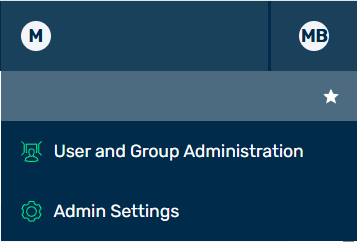
Options under the Organization Name
- ► In the list, click on the Admin Settings button.
- ➔ The Admin Settings view opens.
The following tabs are available:
- ■ Account Security
- ■ SSO Configuration
- ■ Contacts & Communication