Traffic Reports view
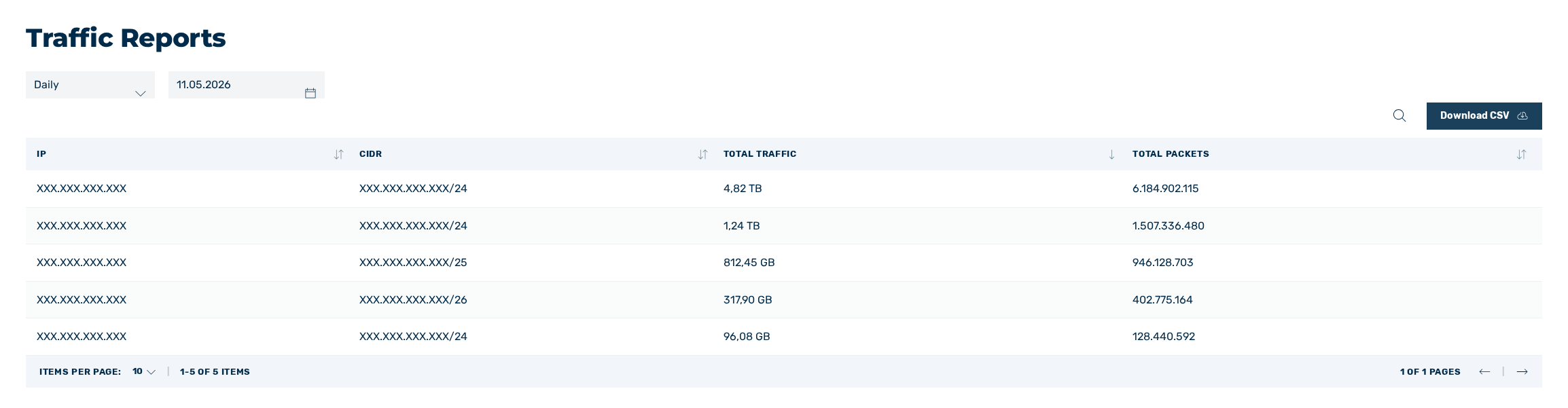
Traffic Reports view
In the Traffic Reports view, you can view a summary of traffic for each IP address during the selected time period.
The following information is available:
| Name | Definition |
|---|---|
| IP | A specific IP address. |
| CIDR | The network to which the IP address is assigned. |
| TOTAL TRAFFIC | Shows all traffic that has passed through this IP address. |
| Total Packets | Shows the total number of packets received via this IP address. |
The following options are available:
| Name | Definition |
|---|---|
| Type of report | Using the drop-down menu for the report type, you can choose whether you want to see a breakdown by IP address for a specific day or for the current month. |
| Date | Select the day for which you want to view the traffic summary by IP address.NoteThe drop-down list is only available if you have selected Daily as the report type. |
 |
The symbol enables you to search specifically for the name of the report. |
| Download CSV | The button downloads the complete report as a CSV file. |