Edit cipher
SSL/TLS (Secure Sockets Layer) ciphers are algorithms used to encrypt data exchanged between a client and a server, thereby ensuring confidentiality and data integrity during the exchange. They ensure secure communication over the Internet by encrypting the information so that it cannot be read by unauthorised parties.
Depending on your requirements for this encryption, it may need to be adjusted later.
The following requirements must be met:
- ☑ A domain has been added, see Section Add a domain.
- ☑ A DNS record has been added for the required subdomains, see Section Add a DNS record.
- ☑ An SSL/TLS certificate has been uploaded or created, see Section Create an SSL/TLS certificate using the Myra App, Section Upload SSL/TLS certificate and Section Myra Certificate Management.
Proceed as follows to edit the encryption method:

Edit cipher
- ► In the SSL/TLS Certificate Details view, click on the
 icon next to the Encryption Methods area.
 - ↳ The SSL/TLS Configuration dialog opens.
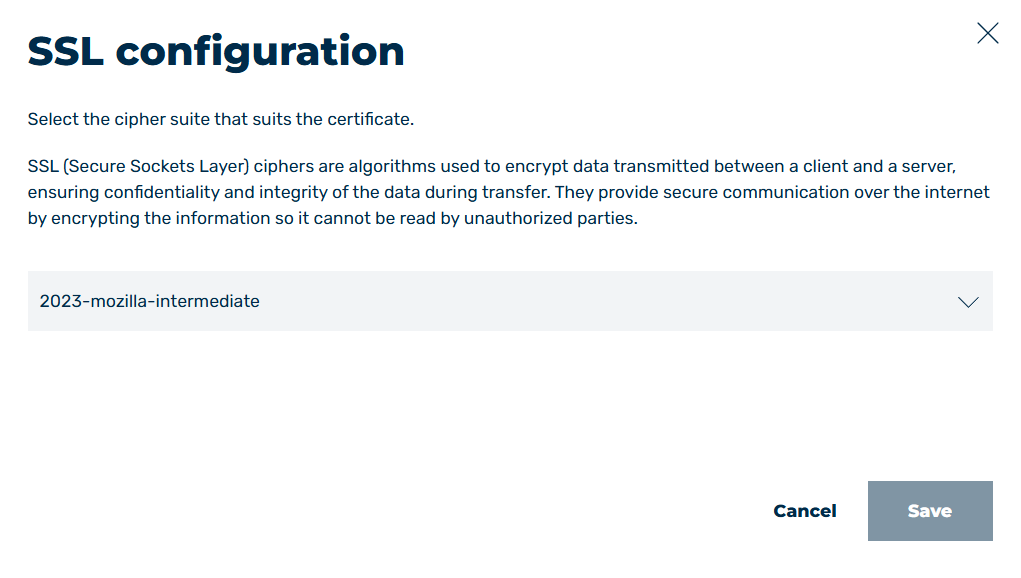
SSL/TLS Configuration Dialog
- ► From the drop-down list, select the encryption method you want to use.
- ► Click on the Save button.
- ➔ The dialog closes and the encryption method has been changed.