Myra App views
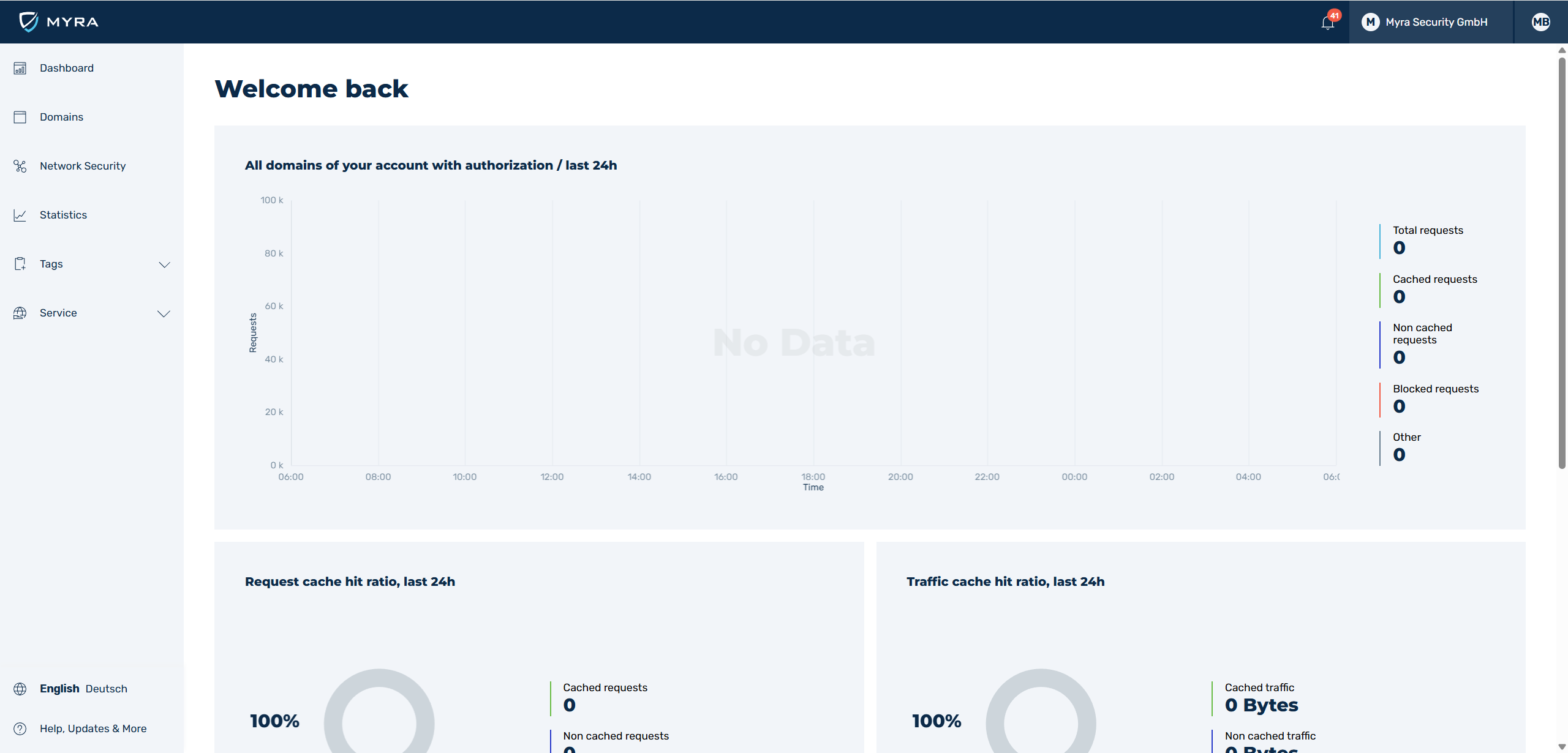
Overview of the New User Interface Design
The Myra App enables access to the various functions for overview, analysis, and configuration of your Layer 7 protection available in the web application through the navigation bar.
From the Myra App home page, you can access the following views and functions via the navigation bars at the top and left of the page:
-
■ Top navigation bar:
- ■
 icon with an overview of all notifications and a button to open the Notification Center (see Section Notification Center)
 - ■
 icon to open the AI Assistant on the right-hand side of the page (see Section AI Assistant)
 - ■ Administration of the customer organisation with access to user and group management (see Section User management)
- ■ Management of the personal account (see Section Profile)
- ■
-
■ Left navigation bar
- ■ Dashboard (see Section Dashboard)
- ■ AI Assistant (see Section AI Assistant)
- ■ Domains (see Section Domains)
- ■ Network Security opens the network security portal at
https://networksecurity.myracloud.com/outside the Myra App. The entry only shows if the BGP feature is enabled for your organization, and it does not show in a trial account. - ■ Services (see Section Services tab)
- ■ Tags (see Section Tags)
- ■ Statistics (see Section Statistics)
- ■ Language selection
- ■ Help, Updates & More (see Section Help, Updates & More tab)
Below, you will find an overview of all the views in the Myra App and what settings you can make there.