Edit custom error pages
Note
It is not possible to edit all status codes for an entry at once.
If you want to edit an existing entry for a custom error page, you must modify each status code individually.
Note
For existing entries, you can only change the error page, but not the associated subdomains.
If you want to assign a custom error page to a new subdomain, see Section Add custom error pages.
Proceed as follows to change an existing custom error page for a domain:
- ► Open the Custom error pages view, see Section Custom Error Pages.
- ► Select the entry you want to edit.
- ► Click under Error page on the error code you want to edit.
- ↳ The Edit <status code> error page view opens.
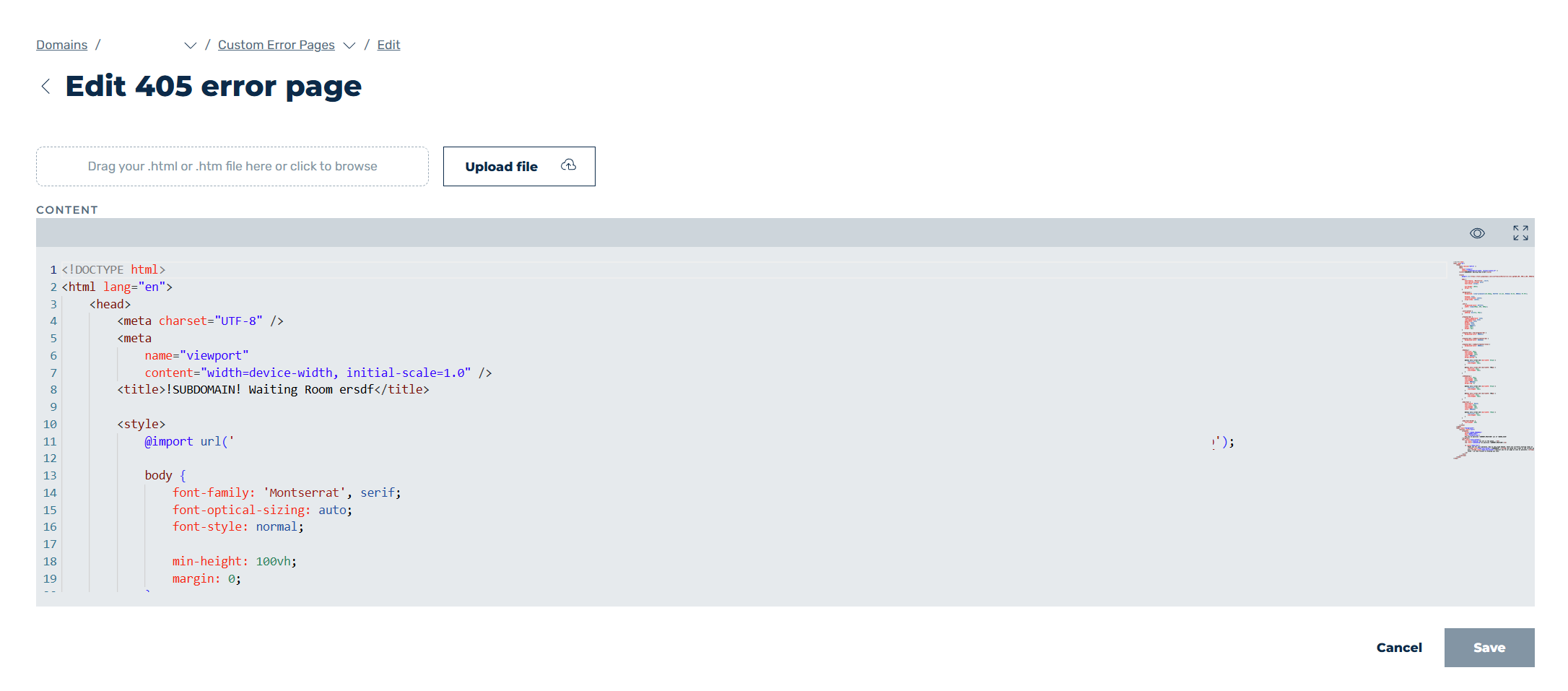
Edit custom error page
-
► Customise the fields according to the required changes, see Section Create new custom error Page / Edit <error code> error pagee.
-
► Click on the Changes button.
- ➔ The Custom error pages view opens and the custom error page has been updated.