Edit loadbalancing record dialog
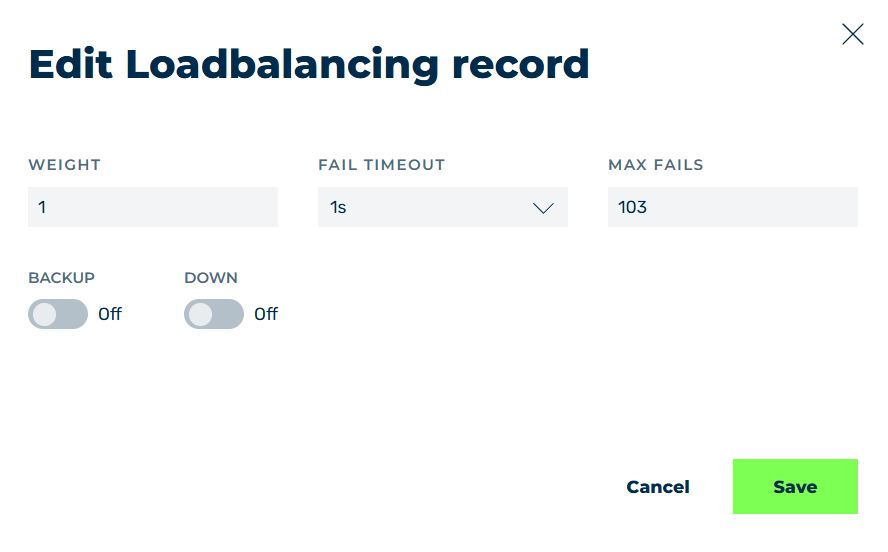
Edit loadbalancing record dialog
You can edit an existing load balancing entry in the Edit Loadbalancing record dialog.
The following options are available:
| Name | Definition |
|---|---|
| WEIGHT | Defines the number of requests that an upstream accepts before the next upstream is selected.NoteThe minimum permitted value is 1. |
| FAIL TIMEOUT | Defines the following conditions:
The drop-down list contains the 1s, 10s, 60s, 600s, 900s, 1800s, and 3600s values. You can also enter your own value: a number, optionally followed by a time unit s, m, h, or d.Example 45s, 5m, 2h, 1dNoteA number without a time unit counts as seconds.Default value: 1s |
| MAX FAIL | Defines the maximum number of errors that must occur within the defined time period before the upstream is disabled for the remainder of the time period.ExampleThe value of 10 errors in 60 seconds means that, if 10 errors occur after 10 seconds, the upstream is disabled for the remaining 50 seconds.NoteThe minimum permitted value is 1. |
| BACKUP | The switch defines whether the server is used as a backup server when the primary server is unavailable. |
| DOWN | The switch defines whether the selected server is available. |
| Save | The button saves the load balancing settings.NoteThe button is only available if all fields contain valid values. |
| Cancel | The button closes the window without any changes having been made. |