Create tag / Properties and assignment / Copy tag
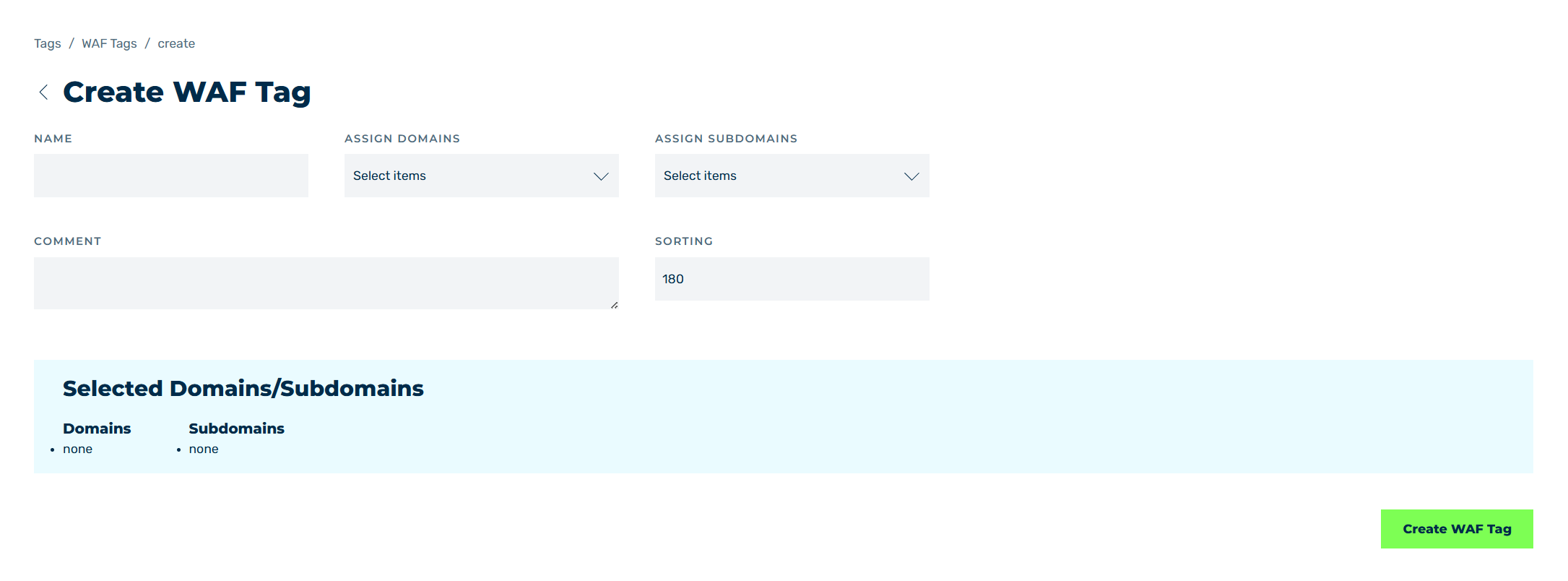
Sample structure using a Create WAF tag
In Create Tag, Properties & Assignments and Copy Tag, you can add tags or edit or copy existing tags, depending on the selected option.
The following options are available:
| Name | Definition |
|---|---|
| NAME | Defines the name of the WAF tag. |
| Assign domains | Assigns domains to the tag via a drop-down list.NoteWhen a domain is assigned, all subdomains are automatically selected as well.NoteFor a settings tag, a domain cannot be selected if a different settings tag is already assigned to it. In this case, the drop-down list shows the This (Sub)domain already has a Settings Tag assigned. note. |
| Assign subdomains | Assigns subdomains to the tag via a drop-down list.NoteA subdomain cannot be selected if its parent domain is already assigned. In this case, the drop-down list shows the A related (Sub)domain is already assigned to this tag. note.NoteFor a settings tag, a subdomain cannot be selected if a different settings tag is already assigned to it. In this case, the drop-down list shows the This (Sub)domain already has a Settings Tag assigned. note. |
| SORTING | Defines a number for positioning the WAF tag in the sequence of all WAF tags.NoteWAF tags are processed according to their position in the sequence.NoteIf a value that has already been assigned is entered under SORTING, the WAF tag with that value and all subsequent ones are incremented by one.NoteThe minimum permitted value is 0.NoteThe SORTING field does not show for settings tags. |
| Comment | Assigns a custom description. |
| Create WAF Tag / Create cache tag / Create settings tag / Create information tag / Save | The button adds a new entry or changes it. |
 |
The icon closes the view and opens the Tags view. |
The Selected Domains/Subdomains information box provides an overview of all domains and subdomains that have been assigned to the tag.