Add provider / Edit provider dialog
Note
This feature is only available if you have subscribed to Myra Certificate Management.
Note
You need admin rights to create, edit, or delete a certification authority.
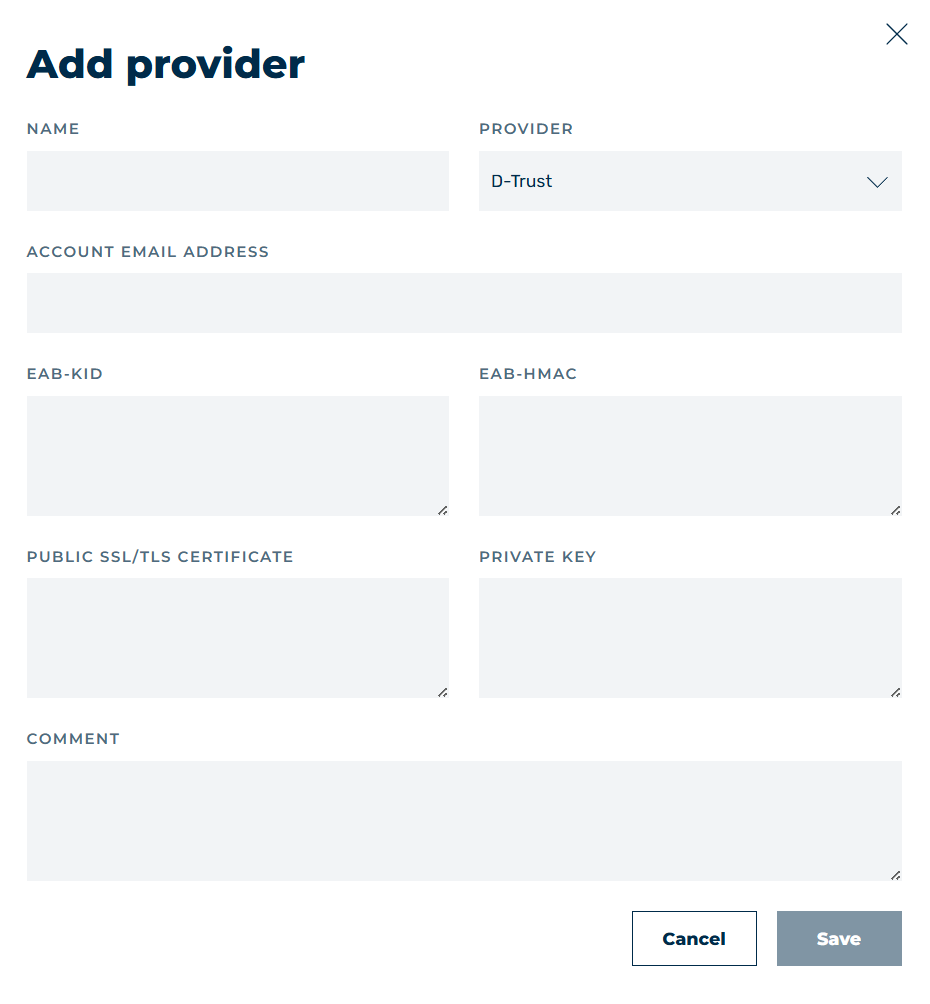
Example: Add Provider dialog for D-Trust
In the Add provider and Edit provider dialogs, you can add new certification authorities for creating and updating SSL/TLS certificates, as well as edit them.
The following options are available:
| Name | Definition |
|---|---|
| Name | Defines the name for the certificate authority entry. |
| Provider | Defines the certification authority. The following options are available:
|
| Comment | Assigns an individual comment. |
| Save | The button creates the entry. |
| Cancel | The button closes the window without adding or changing an entry. |
When selecting a certification authority, you have the following options:
| Name | Definition |
|---|---|
| Account email address | Specifies the email address of the account under which the certificate authority account is registered. Usage: D-Trust and SectigoNoteWith Sectigo, providing an email address is optional. |
| EAB-KID | Defines the EAB-KID (External Account Binding Key Identifier), which is used when employing the ACME protocol to link an ACME account to an existing account with a certificate authority. Usage: D-Trust and Sectigo |
| EAB-HMAC | Defines the EAB-HMAC key (External Account Binding HMAC Key), which is used in conjunction with the EAB-KID to cryptographically authenticate the link between an ACME account and the account at the certification authority. Usage: D-Trust and SectigoNoteThe EAB-HMAC key is no longer visible after a new entry has been added. |
| Public SSL/TLS Certificate | Defines the public SSL/TLS certificate used for authentication with the certificate-issuing server. Usage: D-Trust |
| Private Key | Defines the private SSL/TLS certificate used for authentication with the certificate-issuing server. Usage: D-Trust |
| Acme Endpoint (optional) | Defines the ACME endpoint of the certificate authority through which certificates are automatically requested and managed. Usage: Sectigo |