Ticket center
Note
This view is only available in the classic user interface.
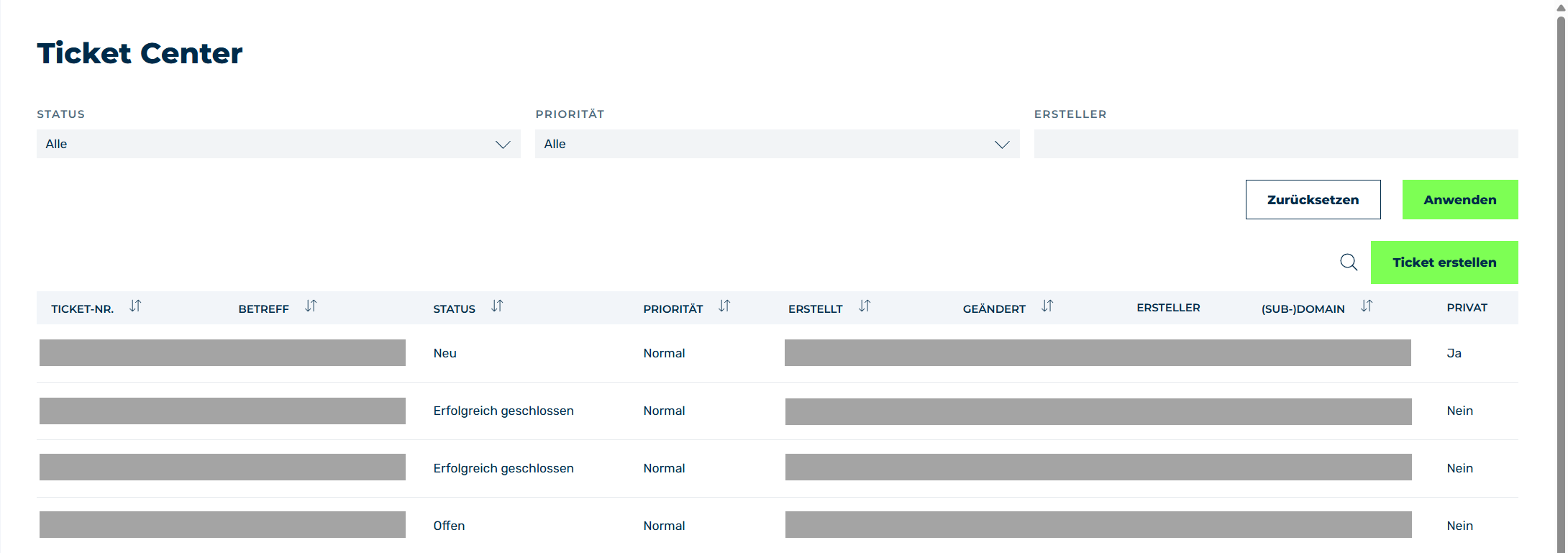
Ticket center view
The Ticket center view allows you to view and edit an overview of all tickets created by users in your organization. You can also create new tickets in the Ticket center view.
The Create Ticket button opens the Create Ticket dialog for creating a new request to Myra Support.
The table of created tickets provides an overview of all ongoing and completed requests to Myra Support.
The following information is available:
| Name | Definition |
|---|---|
| Ticket # | The unique number of the ticket. Click on the unique number to open the Ticket details view. |
| Subject | The title of the request assigned when creating the ticket. |
| Status | The current status of the ticket. The following values are available:
|
| Priority | The priority of the ticket. The following values are available:
|
| Created | The date and time the ticket was created. |
| Modified | The date and time that the ticket was last edited at. |
| Creator | The name of the person who creates the ticket. |
| (Sub-)domain | The assignment of the ticket to a specific domain or subdomain. |
| Private | Shows whether the ticket is private (that is, can only be viewed by the creator). |
In addition to the table listing all tickets, you can use the filters at the top of the screen to filter the tickets by status, priority, and creator.
When a ticket is selected, the ticket history can be viewed, see Section Ticket Details