Add a DNS record
The following requirements must be met:
- ☑ A domain has been added, see Section Add a domain.
Proceed as follows to add a DNS record:
- ► Open the DNS Records view, see Section DNS Records.
- ► Click on the Add new DNS record button.
- ↳ The Add new DNS record dialog opens.
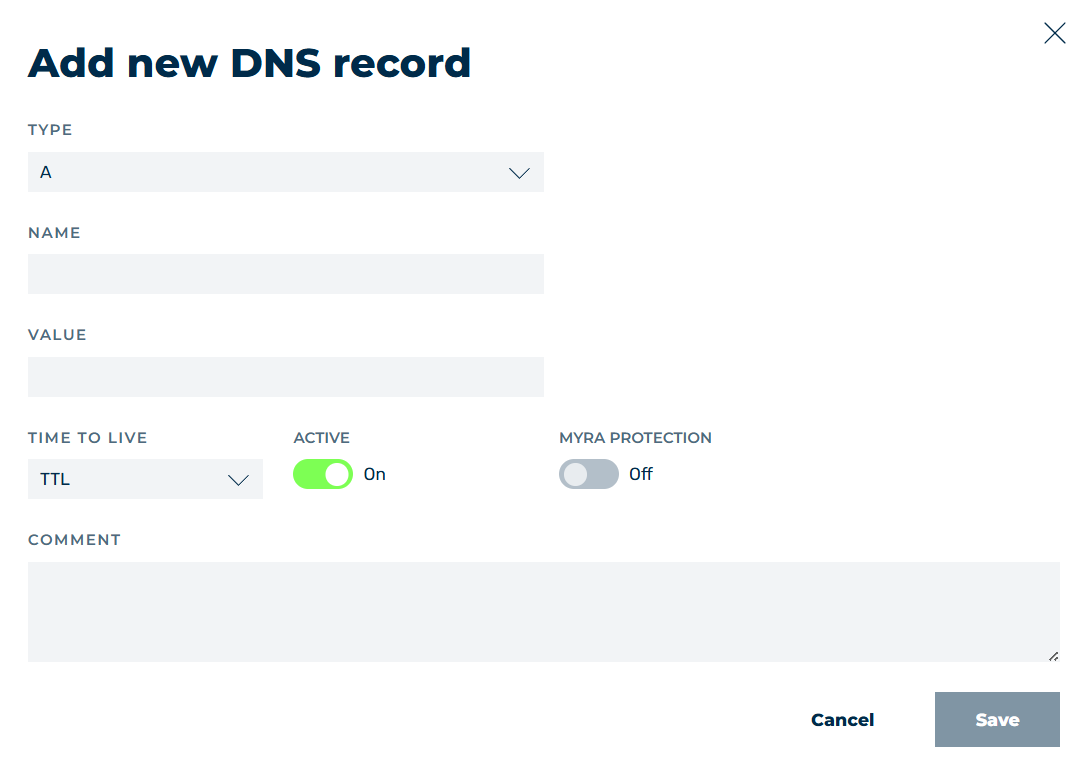
Add new DNS record dialog
- ► Select a DNS type from the drop-down menu under TYPE, see Section Add new DNS record / Edit DNS record dialog.
- ► Enter the name of the domain or subdomain in the text field under NAME.
- ► Enter the IP address of the domain or subdomain in the text field under VALUE.
- ► Select a time from 5 minutes to 1 day from the drop-down menu under TIME TO LIVE for the validity of the DNS record in the cache.
- ► If necessary, enable or disable the record using the toggle under ACTIVE.
-
► If necessary, enable or disable Myra protection using the toggle under MYRA PROTECTION.
Note
When setting up the Myra App for the first time or adding a new subdomain without a valid SSL/TLS certificate, we recommend disabling the toggle under MYRA PROTECTION and not enabling it until a valid SSL/TLS certificate has been added.
Otherwise, you may have trouble accessing your website.
-
► If necessary, enter an individual description for the record in the text field under COMMENT.
-
► Click on the Save button.
-
➔ The dialog closes and the new entry appears in the list of entries.
The corresponding subdomain will be shown under Domains → Subdomain settings.
Note
To add further entries later, click on Domains → More Settings → DNS Records.