Edit the name of a group
Note
To add a group, you need root group admin rights or subgroup admin rights for the group under which the new group is to be created.
The name of a group can be changed at any time. The only exception is the root group, which has a fixed name.
Proceed as follows to change the name of a group:
- ► Open the Group Management view, see Section Group Management.
-
► From the list of groups, select the group whose name you want to change.
-
■ Option 1:
-
► Click on the
 icon.
icon. - ↳ The Edit group <group name> dialog opens.
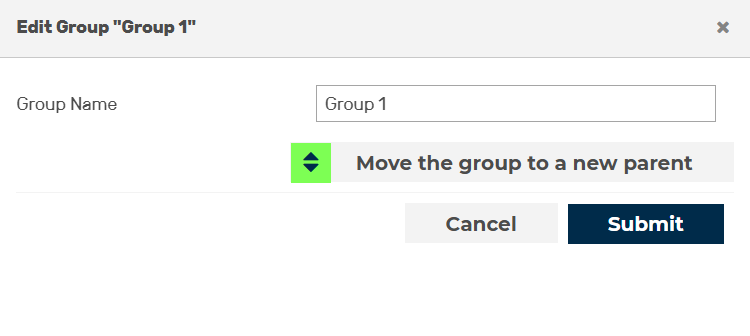
Change the group name - Option 1
- ► In the text field next to Group name enter the new name for the group .
- ► Click on the OK button.
-
➔ The dialog closes and the name of the group has been changed.
-
■ Option 2:
-
► Go to the Details <Group Name> area.
- ► Click on the icon.
- ↳ A text field opens.

Change the group name - Option 2
- ► Enter the new name in the text field.
- ► Click on the
 icon.
icon. - ➔ The text field closes and the name of the group has been changed.