AI Assistant
Note
The AI Assistant is only available if the function is enabled for your organisation. Myra enables the function.
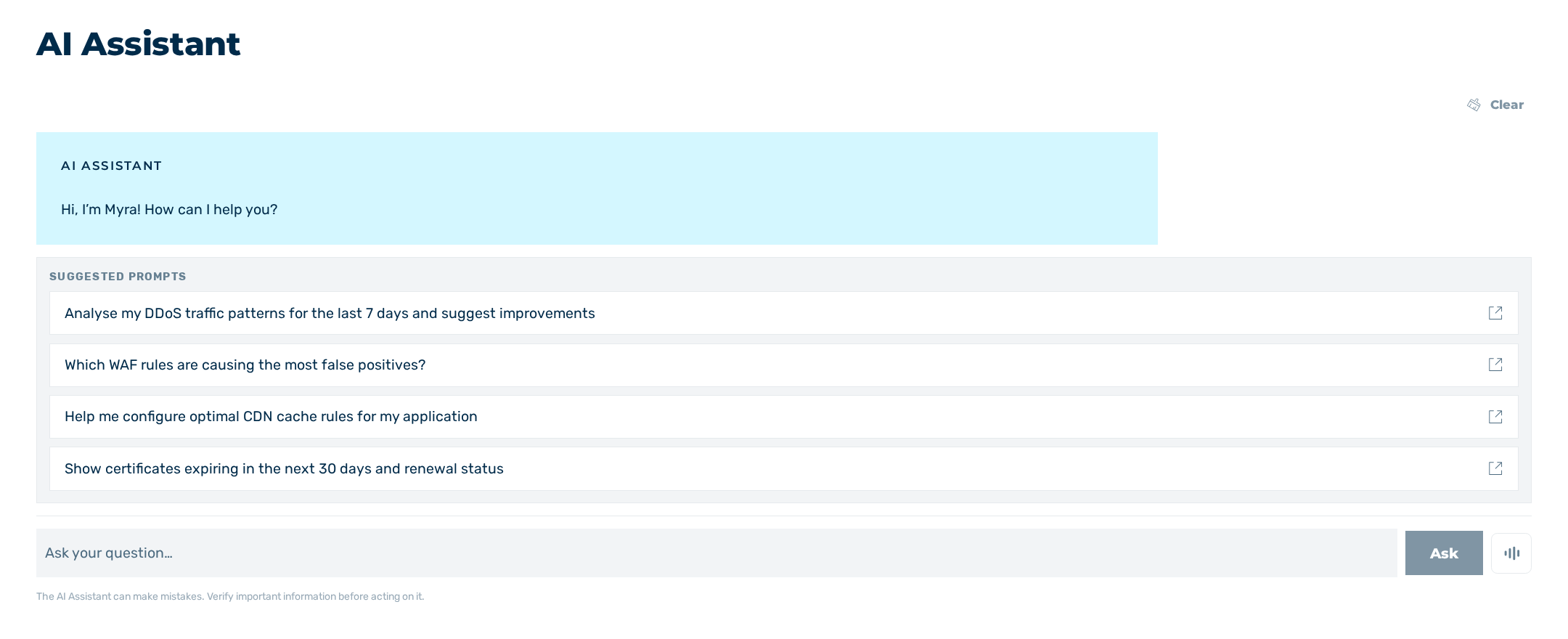
AI Assistant view
In the AI Assistant view, you ask questions about Myra in natural language. The AI Assistant answers the questions based on the Myra documentation and additionally retrieves the data of your account. The AI Assistant sees exactly the data you are authorised for.
You can also access the AI Assistant using the  icon in the top bar. The icon opens the AI Assistant in an area on the right-hand side of the page.
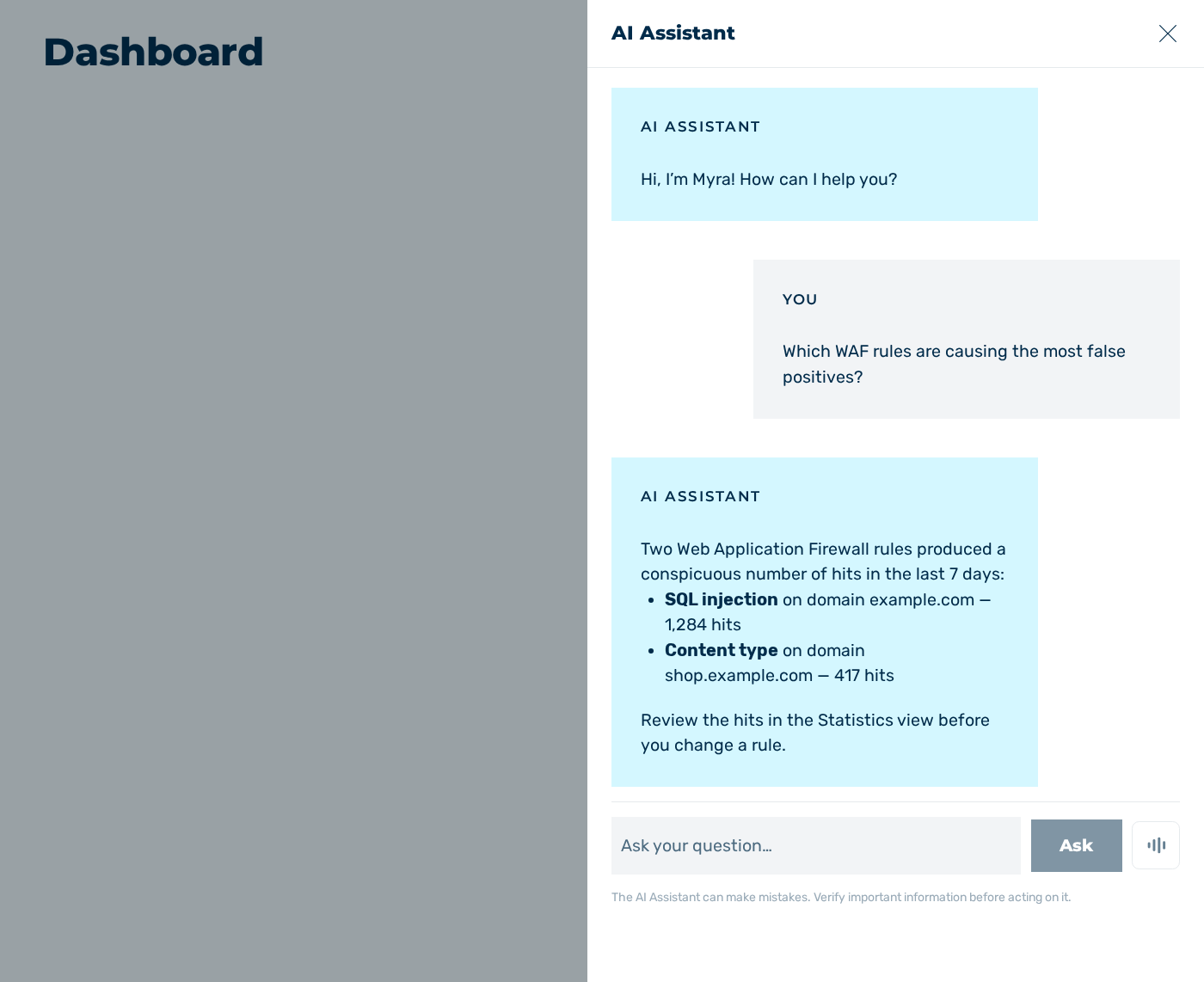
AI Assistant on the right-hand side of the page
Note
The conversation is not saved. If you reload the page or leave the Myra App, a new conversation starts.
The following options are available:
| Element | Description |
|---|---|
| Suggested prompts | Shows four prepared questions until you ask the first question. A click on a prepared question sends the question directly to the AI Assistant. |
| Your question | Enables you to enter a question.NoteThe field is locked while the AI Assistant answers. |
| Ask | Sends the entered question to the AI Assistant.NoteThe button is only active if the field contains a question and the AI Assistant does not answer. |
| Clear Chat | Discards the conversation and starts a new conversation.NoteThe button is only active if the conversation contains at least one question. |
 |
Starts and ends a voice call with the AI Assistant.NoteThe icon is locked if the browser does not support a microphone or if the connection does not use HTTPS. |
Asking a question
Proceed as follows to ask the AI Assistant a question:
-
► Enter your question in the field under Your question.
Note
Alternatively, click on one of the prepared questions under Suggested prompts. The AI Assistant then receives the question directly.
-
► Click on the Ask button or press the Enter key.
- ↳ Your question appears in the conversation.
- ➔ The AI Assistant builds the answer continuously in the conversation.
Note
The AI Assistant can make mistakes. Verify important information before you act on it.
Approving a proposed change
The AI Assistant does not change your account itself. If your question requires a change, the AI Assistant prepares the change and shows it as a card under the answer. Myra applies the change only after you click on the Approve button.
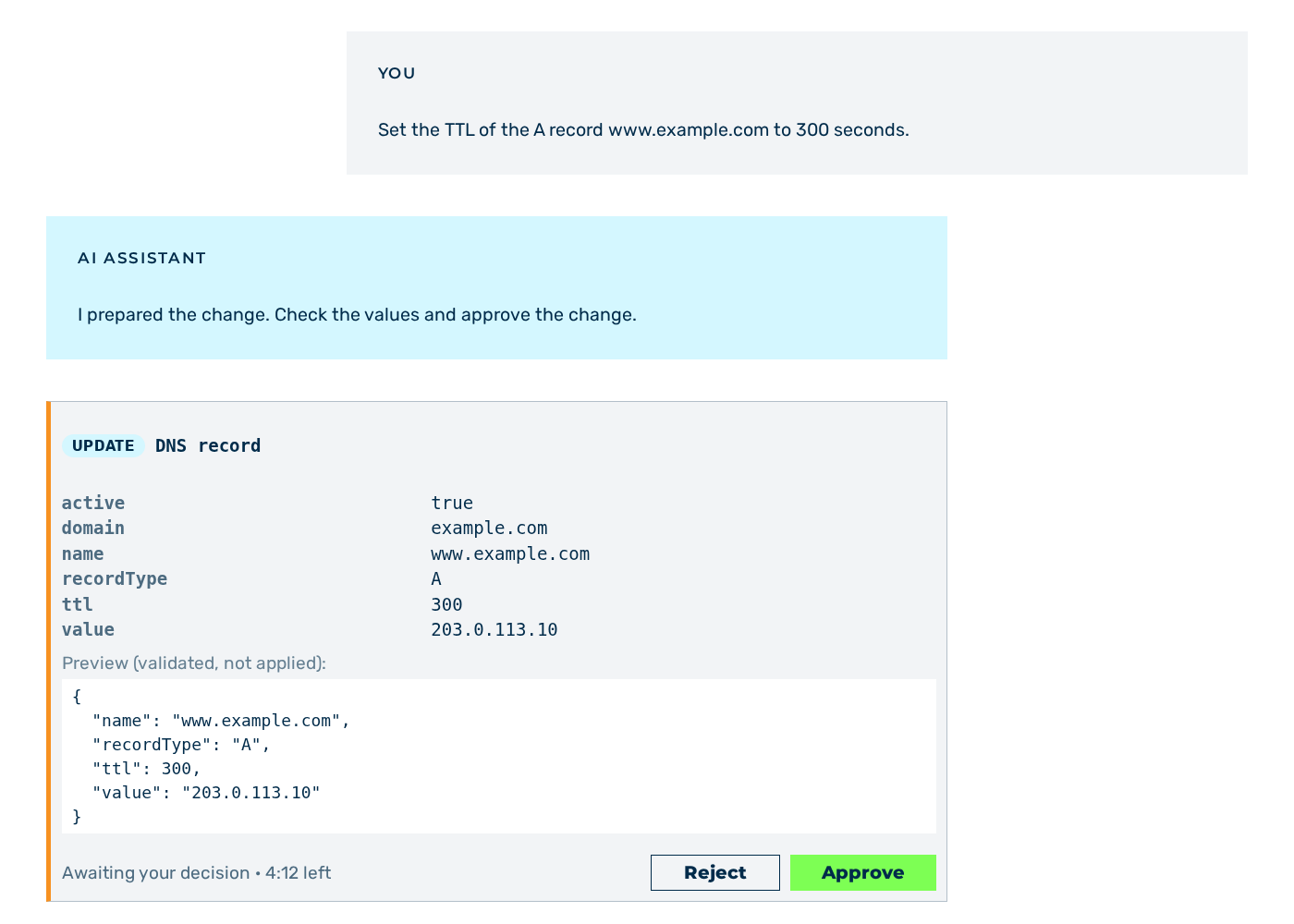
Card with a proposed change
The following information is available:
| Area | Description |
|---|---|
| Operation | Shows the operation of the change. The following values are available:
|
| Object | Shows the object that the AI Assistant changes. |
| Parameters | Shows the values of the change in a table. The table names the values under their technical names and sorts them alphabetically. Myra applies exactly the values in the table.NoteIf the change contains no values, the No parameters text appears. |
| Preview (validated, not applied): | Shows the result of a validation of the change. Myra has not applied the change at this time. |
| State | Shows the state of the change. While the proposed change is pending, the remaining time appears behind the state in the minutes:seconds format. |
The following options are available:
| Element | Description |
|---|---|
| Reject | Discards the proposed change. Myra changes nothing. |
| Approve | Applies the change. |
The header of the card names the object of the change. The following values are available:
| Value | Description |
|---|---|
| DNS record | The AI Assistant creates, updates or deletes a DNS record. |
| Domain | The AI Assistant creates, updates or deletes a domain. |
| Redirect | The AI Assistant creates, updates or deletes a redirect. |
| Cache setting | The AI Assistant creates, updates or deletes a cache setting. |
| IP filter | The AI Assistant creates, updates or deletes an IP filter. |
| SSL certificate | The AI Assistant creates, updates or deletes an SSL certificate. |
| WAF rule | The AI Assistant creates, updates or deletes a WAF rule. |
| Cache purge | The AI Assistant clears the cache. |
The footer of the card shows the state of the change. The following values are available:
| Value | Description |
|---|---|
| Awaiting your decision | The proposed change is pending. You decide about the change. |
| Applying… | Myra runs your decision. The buttons are locked. |
| Applied | Myra has run the change. The card shows the result above the state. |
| Rejected | You have rejected the proposed change. Myra has changed nothing. |
| Failed | Myra has not run the change. |
| Expired | The proposed change is no longer pending. |
The reason appears behind the state. The following values are available:
| Value | Description |
|---|---|
| the API rejected the change | The Myra API has validated the change and rejected it. |
| not permitted, nothing was changed | Your permissions do not cover the change. Myra has changed nothing. |
| could not be applied; check your account before asking again | The connection to the Myra API stopped. Myra has possibly run the change.AttentionCheck the affected entry in the Myra App before you request the same change again. |
| temporarily unavailable, try again | The Myra App has not transmitted your decision. The proposed change stays pending. |
| could not discard, please try again | The Myra App has not transmitted the rejection. The proposed change stays pending. |
| superseded by a newer message | You have asked a new question. Myra has discarded the proposed change. |
| no longer pending | The time for the decision has expired. Myra has changed nothing. |
The following requirements must be met:
☑ The card shows the Awaiting your decision state.
Proceed as follows to approve a proposed change:
- ► Check the values in the table of the card.
- ► Click on the Approve button.
- ↳ The state changes to Applying….
- ➔ The state changes to Applied. The card shows the result of the change.
To reject a proposed change, click on the Reject button. Myra changes nothing and the state changes to Rejected.
Warning
A proposed change is only valid for a limited time. After the time expires, the state changes to Expired and the buttons are locked. In this case, ask your question again.
Note
A new question discards a pending proposed change. The state changes to Expired and the superseded by a newer message reason appears behind the state.
Making a voice call
In a voice call, you speak your question. You do not enter the question. In a voice call, the AI Assistant answers the questions based on the Myra documentation only and does not retrieve any data of your account.
☑ The browser supports a microphone and the connection uses HTTPS.
Proceed as follows to make a voice call:
- ► Click on the icon.
- ↳ The voice call starts. The Recording note appears and the words you speak appear in the field under Your question.
- ► Speak your question.
- ➔ The answer of the AI Assistant appears in the conversation.
- ► To stop an answer, click on the Interrupt button.
- ► To end the voice call, click on the icon again.