Delete certification authority
Warning
If you delete the entry for a certificate authority, the link to the existing SSL/TLS certificate will be broken, and automatic updates will no longer occur.
Recovery is not possible.
Once the SSL/TLS certificate expires, it is no longer valid.
If you want to restore a deleted certification authority, you must create it again, see Section Add a certification authority. In addition, you must recreate the SSL/TLS certificates for the affected domains and subdomains, see Section Create an SSL/TLS certificate using the Myra App.
Proceed as follows to delete a certification authority:
- ► Select the entry you want to delete.
- ► Click on the
 icon.
icon. - ↳ The Delete <Name of Certification Authority> dialog opens.
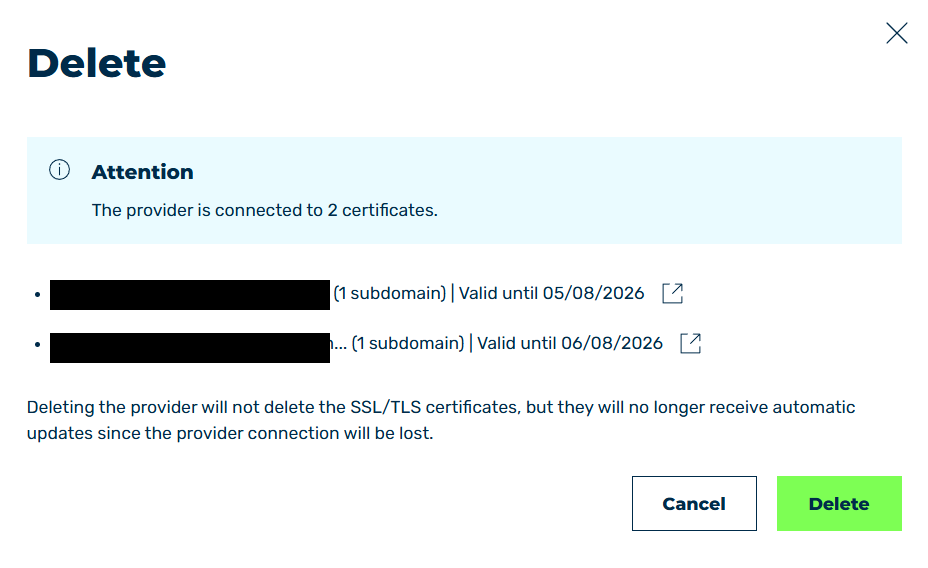
Delete certification authority
- ► Check whether any SSL/TLS certificates are associated with the certificate authority.
-
► If so, you can open and edit the SSL/TLS certificates by clicking the
 icon.
icon. -
► Click on the Delete button.
- ➔ The dialog closes and the entry is removed from the list.