Delete custom error pages
Note
A deleted entry cannot be restored.
If you want to restore a deleted entry, create it again, see Section Add custom error pages.
Proceed as follows to delete an existing custom error page for a domain:
- ► Open the Custom error pages view, see Section Custom Error Pages.
There are two ways to delete one or more entries:
Delete an entire entry
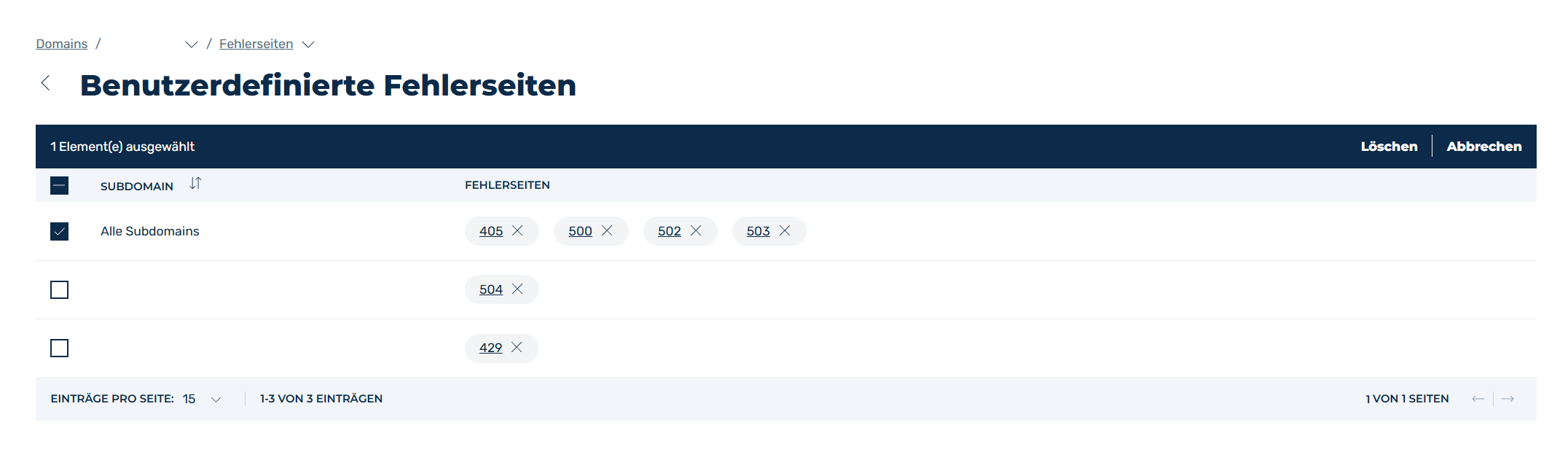
Example of deleting an entire entry for a custom error page
- ► Select the entry or entries you want to delete.
- ► Click on the checkboxes to the left of the entry.
- ↳ A toolbar appears above the list of entries.
- ► Click on the Delete button.
- ➔ The selected entries will be removed from the list of custom error pages.
Delete a single status code
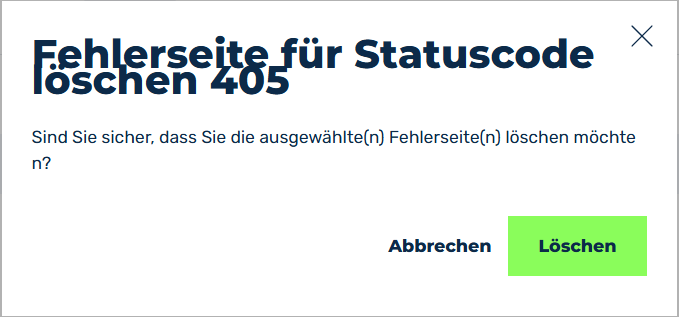
Delete error page for status code dialog
- ► Select the entry for which you want to remove the status code for the error page.
- ► Click on the X icon to the right of the status code name.
- ↳ The Delete error page for statuscode dialog opens.
Delete error page for status code dialog
- ► Click on the Delete button.
- ➔ The selected status code will be removed from the assigned status codes for the custom error pages.