Copy rule
Note
For a detailed explanation of how to add a WAF rule and what to watch out for, see the WAF Manual.
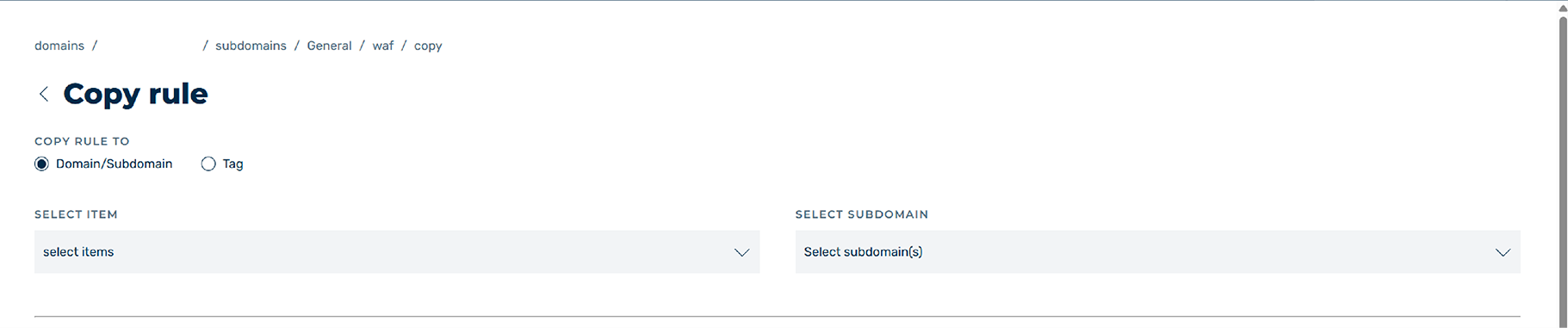
Copy Rule view
In the Copy rule view, you can copy existing WAF rules and assign them to a domain, subdomain, or tag. The available options are the same as in the Edit WAF rule for <subdomain name> view, expanded by the ability to set the destination and assignment of the copied WAF rule.
The following options are also available for editing a WAF rule:
| Name | Definition |
|---|---|
| COPY RULE TO | Defines the destination of the copied WAF rule. The copy of the WAF rule can be assigned to a domain / subdomain or a tag. |
| SELECT ITEM | If Domain / Subdomain was selected, the drop-down list defines the domains that the copy of the rule should be assigned to. |
| SUBDOMAIN | If Domain / Subdomain was selected, the drop-down list defines the subdomains that the copy of the rule should be assigned to. |
| TAG | If Tag was selected, the drop-down list defines the tag that the copy of the rule should be assigned to. |