Settings tab (tags)
Edit cache rules view
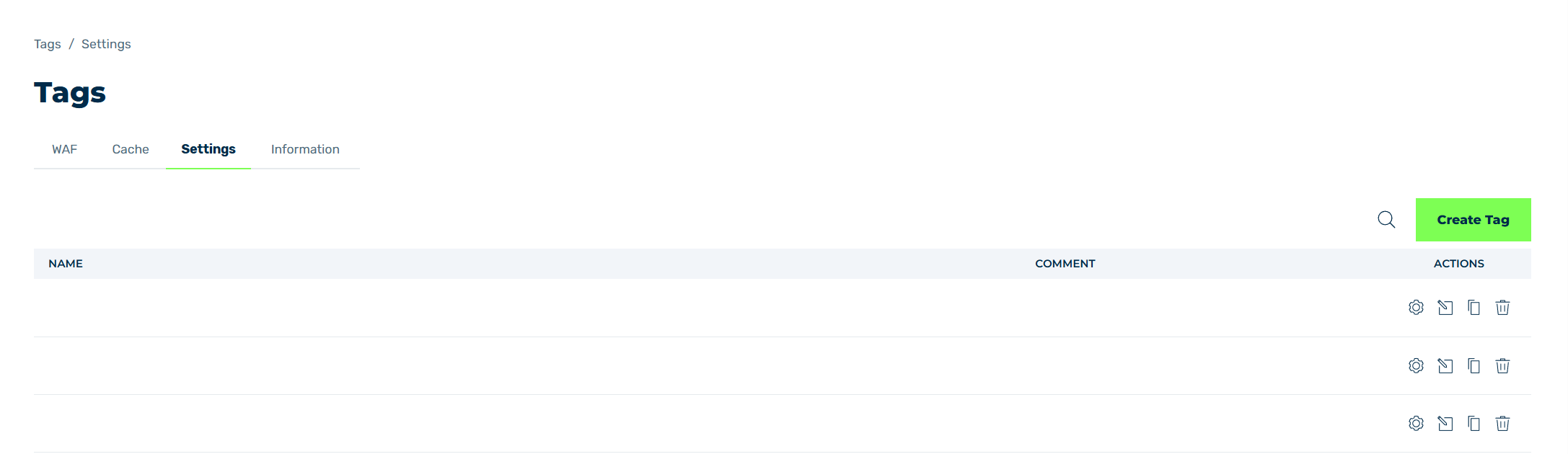
In the Settings tab, you can add, copy, or edit tags for any domains and subdomains to which identical subdomain settings should apply.
The Create Tag button opens the Create settings tag view for adding new tags, see Section Create tag / Properties and assignment / Copy tag.
The following information is available:
| Name | Definition |
|---|---|
| Name | The name of the tag. |
| Comment | An individual comment. |
| Actions | Includes several icons for editing, copying, and deleting the tag. |
The following options are available:
| Name | Definition |
|---|---|
 |
The icon opens the Properties & Assignments view for editing the name, assigned domains and subdomains, and sorting of the selected tag. See Section Create tag / Properties and assignment / Copy tag. |
 |
The icon opens the Edit Settings view, which shows tabs for the available settings. For a description of the available settings, see Section Settings. |
 |
The icon opens the Copy setting tag view for creating a copy of an existing subdomain settings at tag level. See Section Create tag / Properties and assignment / Copy tag. |
 |
The icon opens the Delete Tag dialog for deleting the selected entry.AttentionWhen an entry is deleted, the entry and all associated settings are permanently deleted. To be able to restore an entry after deletion, you must create a brand-new one and reconfigure it. |
 |
The search field filters entries by names. Click on the X to delete the search entry. |