Add DNS Records
Note
If you want to protect only specific subdomains via Myra instead of an entire domain, simply create a DNS record for the specific subdomain you want to protect.
Add a DNS record
After the new domain has been created, it is necessary to store DNS records for the domain and all included subdomains in the DNS Records view in the Myra App.
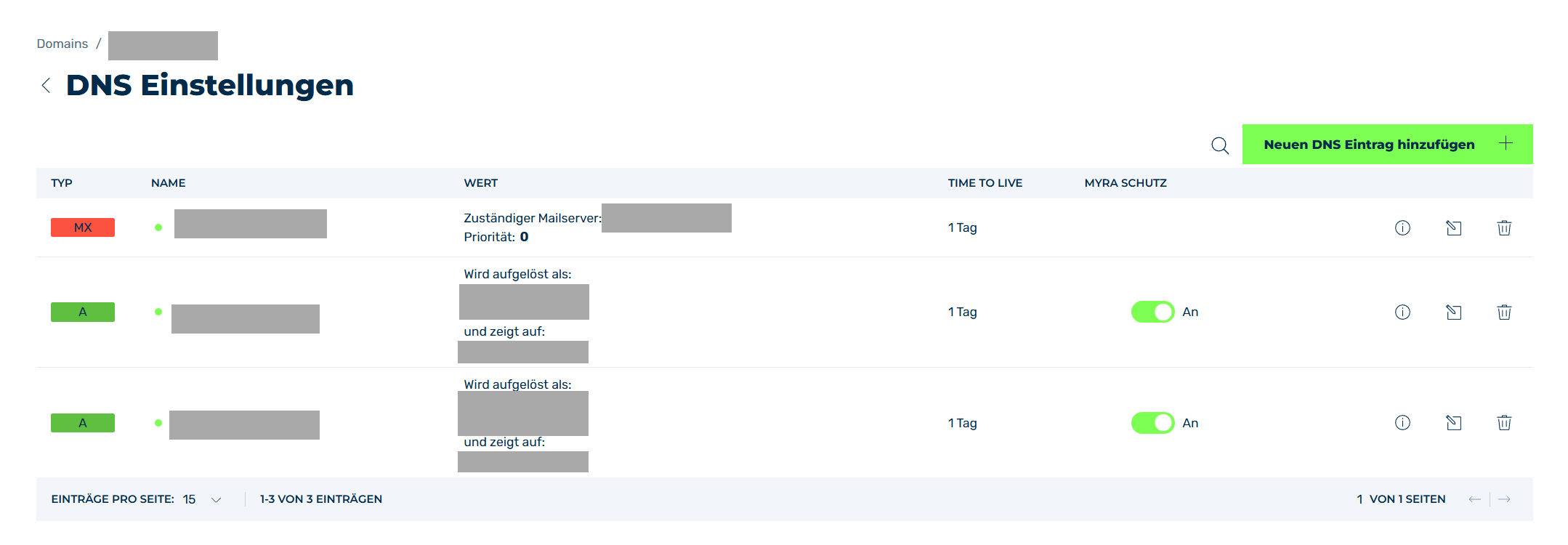
DNS Records view
If you enabled the automatic DNS record search when creating the new domain, initial DNS records will already be present in the list.
In this case, check the records to ensure that they are correct and complete.
Proceed as follows if you did not enable the automatic search or if records are missing:
- ► Add the required DNS records, see Section Add a DNS record.
If you specified Myra as your new nameserver in the first step, proceed as follows:
- ► Log in to your domain registrar.
- ► Open the DNS records.
- ► Compare the list of DNS records from your domain registrar with the DNS records in the Myra App.
- ► If necessary, add any missing DNS records in the Myra App.
- ➔ All DNS records are configured in the Myra App.
The corresponding subdomain will be shown under Domains → Subdomain settings.
Note
To add further entries later, click on Domains → More Settings → DNS Records.