Configure SSL/TLS Certificate dialog
The Configure SSL/TLS Certificate dialog allows you to upload or update a new SSL/TLS certificate.
The dialog can be accessed in the following ways and has different behaviors depending on where the call is placed:
-
► You can upload new SSL/TLS certificates using the SSL/TLS Certificate Management view and by clicking on the Upload certificate button.
-
You can update existing SSL/TLS certificates using the SSL/TLS Certificate Details view of the respective SSL/TLS certificate and by clicking on the Renew Certificate
 button.
After opening the Configure SSL/TLS Certificate dialog, the following tabs and options are available:
Add Certificate
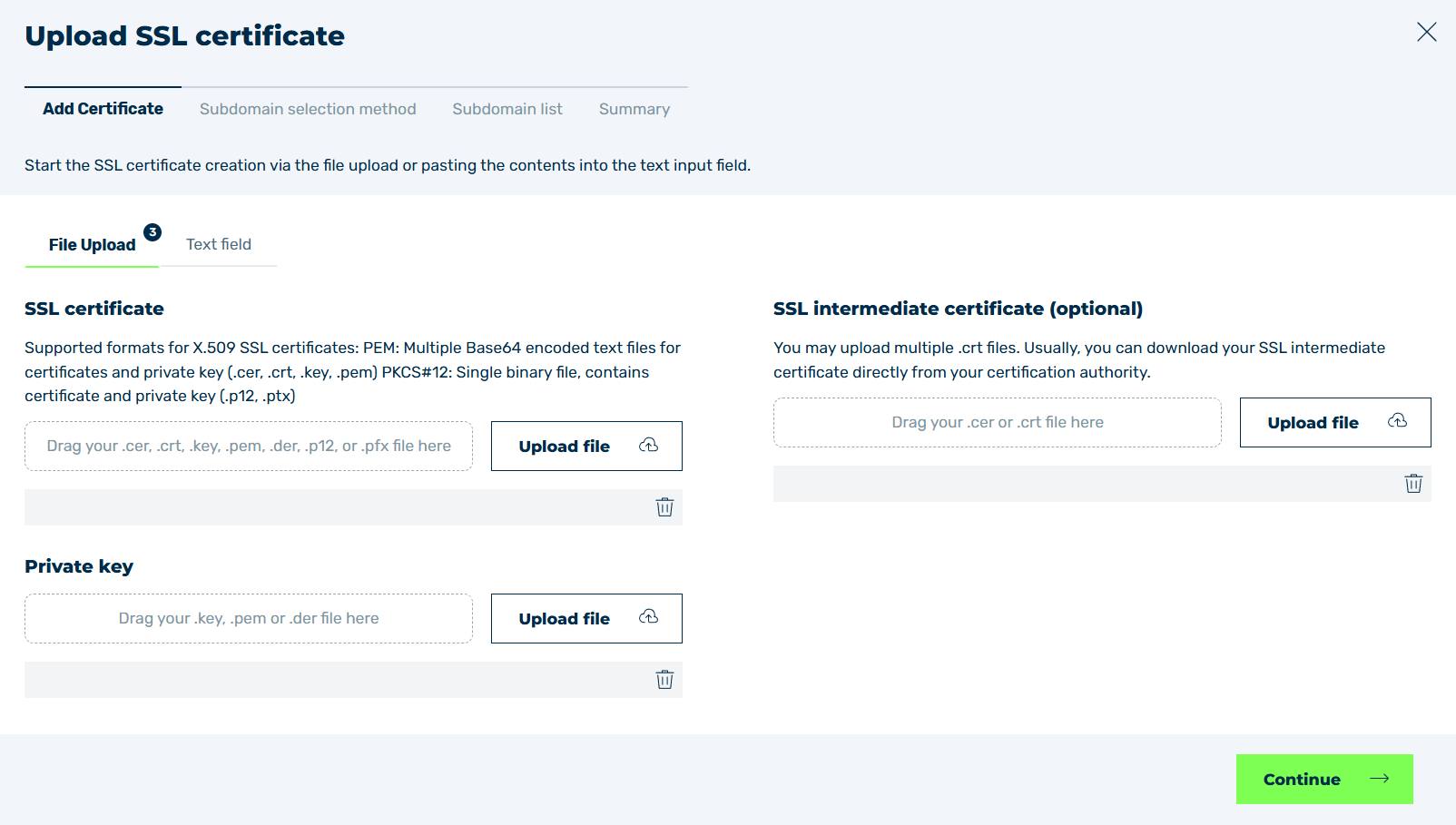
Add Certificate tab
In the Add Certificate tab, add your SSL/TLS certificate and private key. You can also add intermediate certificates in the tab, if necessary.
Note
The Myra App supports the following SSL/TLS certificates in X.509 format:
-
PEM
Multiple Base64-encrypted text files for SSL/TLS certificates and private keys (.cer, .crt, .key, .pem) -
PKCS#12
Single binary files containing the SSL/TLS certificate and private key (.p12,.pfx)
- ■ Subdomain Selection Method (for new certificates only) (for new certificates only)
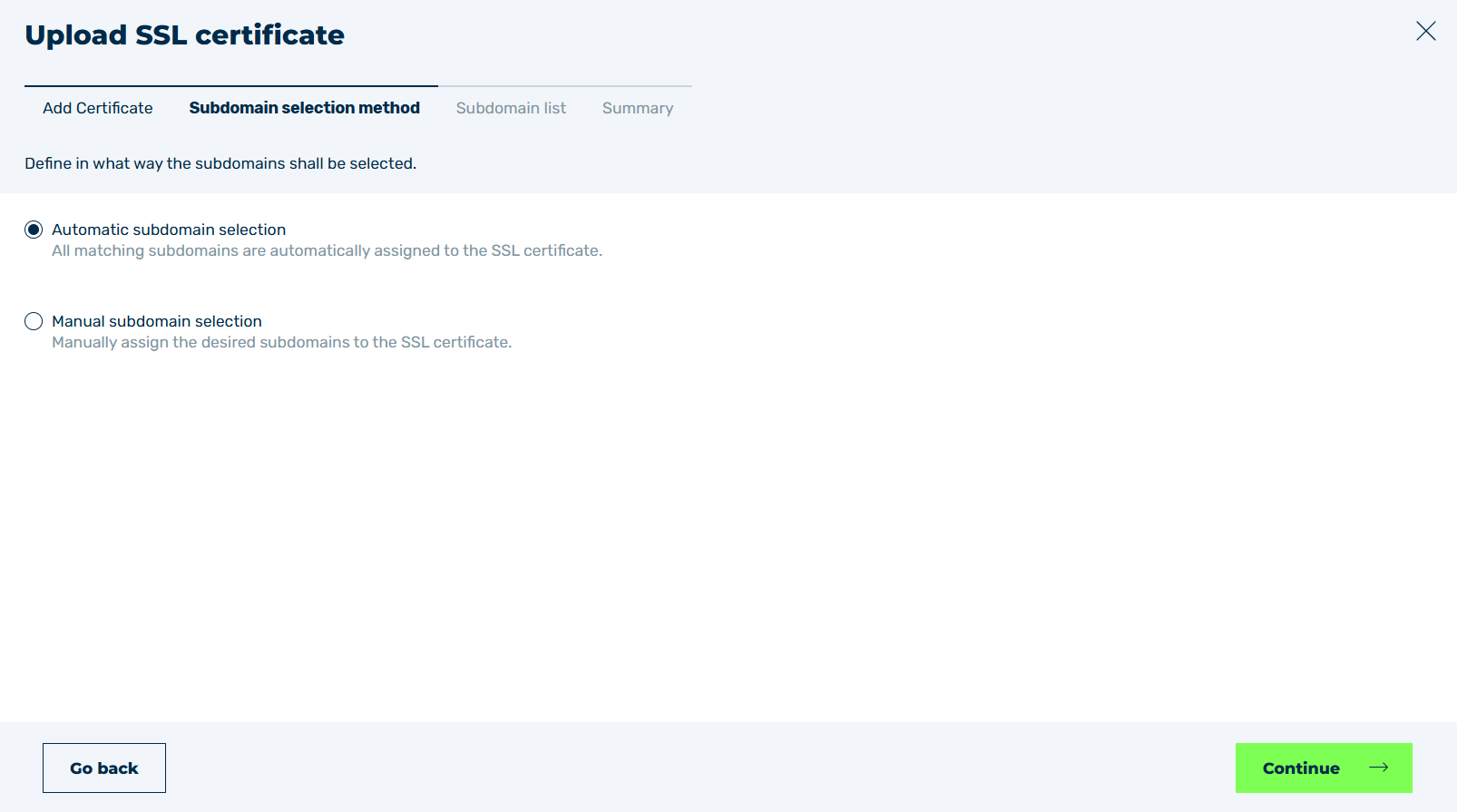
Subdomain selection method tab
In the Subdomain selection method tab, select whether the possible subdomains for the SSL/TLS certificate should be added automatically or manually.
Subdomain List
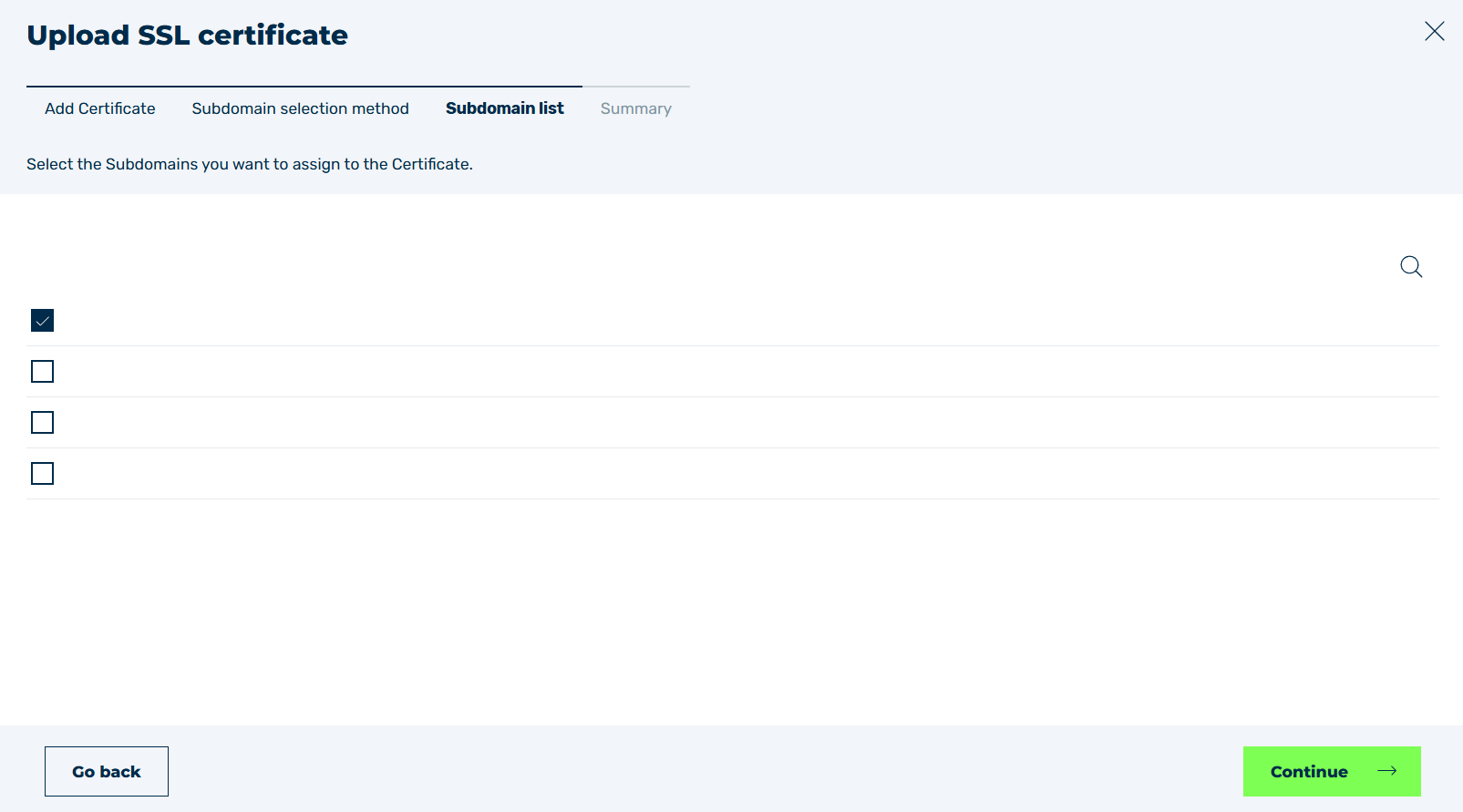
Subdomain list tab
In the Subdomain list tab, you can select or deselect individual subdomains using the checkboxes. When you update an existing SSL/TLS certificate, you cannot deselect any subdomains from the list of subdomains.
Note
If an entry in the list shows an icon  next to its name, the certificate does not include that subdomain.
You can still select the highlighted subdomain in the following way:
- ► Select the highlighted subdomain.
- ↳ A message appears below the list of entries.

Force upload of SSL/TLS certificate
- ► Check the checkbox in the message.
- ➔ Highlighted subdomains are now also included in the SSL/TLS certificate.
Summary
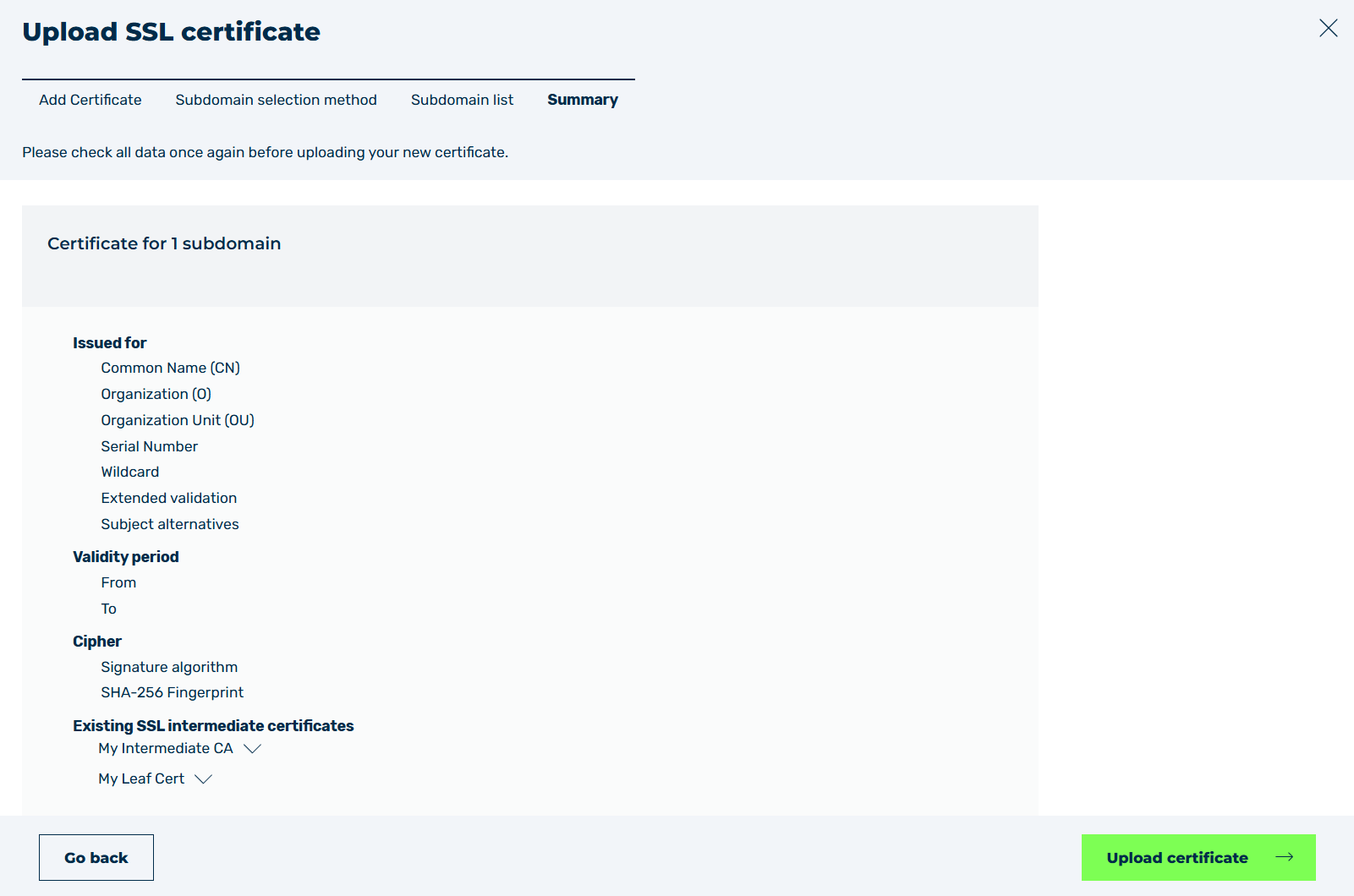
Summary tab
The Summary tab provides an overview of the SSL/TLS certificate settings.
For a description of the shown values, see Section SSL/TLS Certificate Details.