Add an IP filter
The following requirements must be met:
- ☑ A domain has been added, see Section Add a domain.
- ☑ A DNS record has been added for the required subdomains, see Section Add a DNS record.
Proceed as follows to add an IP filter:
-
► Open the IP positive list/negative list for <subdomain name>, see Section IP Allow/Blocklist.
-
► Use the IP Allowlist, IP Blocklist, or Request Limiter for IP Allowlist tabs to select the type of IP filter you want to add.
- ► Click on the Add entry button.
- ↳ The Add entry dialog opens.
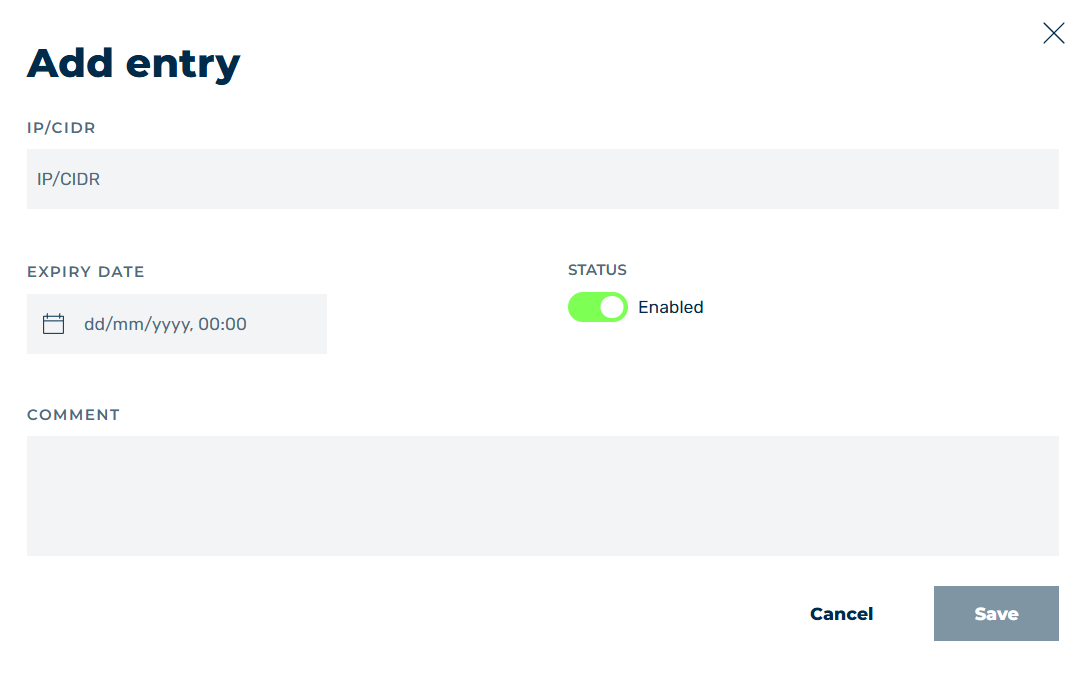
Add an IP filter entry
- ► In the text field under IP/CIDR enter the IP address that you want the IP filter to apply to.
-
► If necessary, use the Expiry Date field to specify a validity date for the entry.
Note
If you add an entry in the Request Limiter tab for the IP allowlist, this field will not be available.
-
► If necessary, enable or disable the entry using the switch under Status.
- ► If necessary, enter an individual description for the record in the text field under COMMENT.
- ► Click on the Save button.
- ➔ The dialog closes and the new entry appears in the list of entries.