Contact list tab
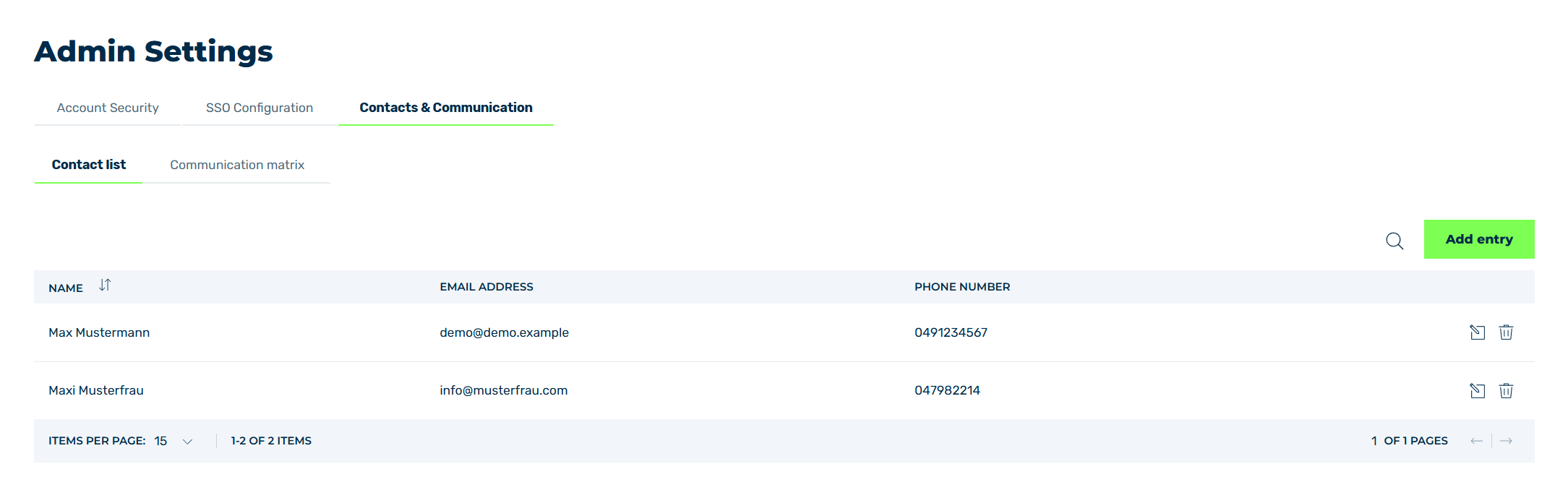
Contact list tab
In the Contact list tab, you can create a list of possible contact persons in your organisation. As a contact person, you can add users of the Myra App and new contact persons.
The following information is available:
| Name | Definition |
|---|---|
| Name | The name of the contact person. |
| Email Address | The email address of the contact person. |
| Phone Number | The phone number of the contact person. |
The following options are available:
| Name | Definition |
|---|---|
| Add entry | The button opens the Add Entry dialog to add a new contact. See Section Add contact. |
 |
The icon opens the Edit entry dialog for changing the selected entry. See Section Edit contact.NoteThe name and email address of a contact person can only be changed in the Edit entry dialog if they were not created as a Myra App user. Otherwise, only the phone number can be changed. |
 |
The icon deletes the selected contact person. See Section Delete contact. |