Appending .html to all paths
A WAF rule with the URI Substitution action automatically appends .html to all paths without a file extension. This is suitable if your customer infrastructure provides content as .html files, but visitors request clean paths without a file extension. The WAF rewrites the requested URI before it is forwarded to the customer infrastructure.
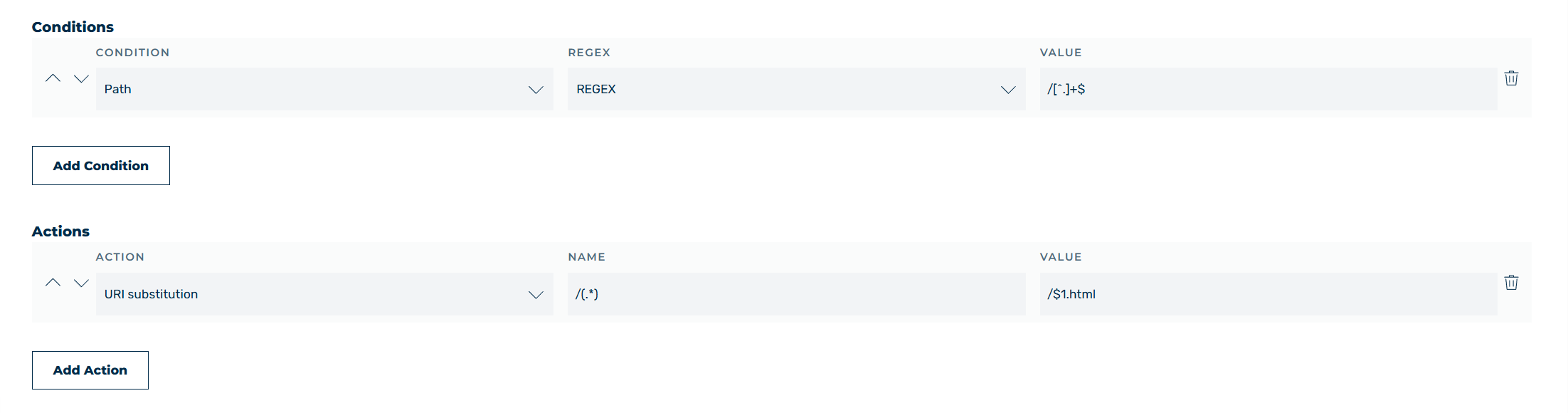
Action: Append .html to all paths
For example, proceed as follows to append .html to all paths without a file extension:
- ► Select Request as the request method.
- ► Add the Path condition.
- ► Select the IREGEX operator from the drop-down list.
- ► Enter
/[^.]+$as the value. - ► Add the URI Substitution action.
- ► Enter
/(.*)as the search pattern. - ► Enter
/$1.htmlas the value.
Note
The /[^.]+$ condition only applies to paths without a dot. Requests for files with an extension (for example .css, .js, or .png) contain a dot and are therefore not rewritten.