Manage providers
Note
This feature is only available if you have subscribed to Myra Certificate Management.
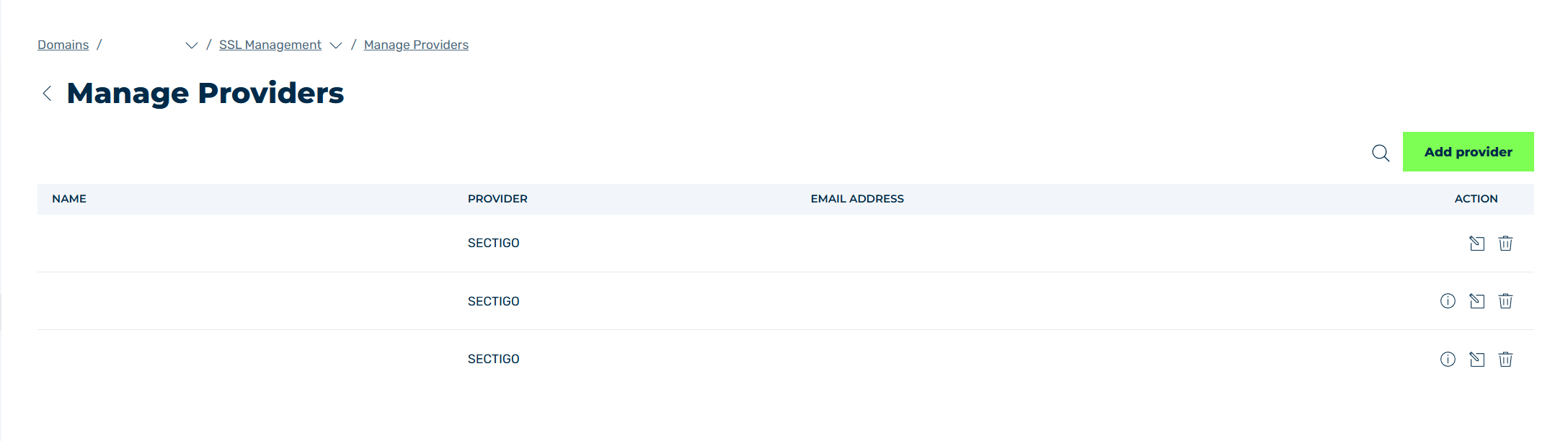
Manage Providers view
In the Manage Providers view, you can configure your own certificate authority to automatically generate and update SSL/TLS certificates. When creating a new certificate, select the desired certificate authority, and Myra Certificate Management will ensure that your SSL/TLS certificates are always up to date.
The following information is available:
| Name | Definition |
|---|---|
| Name | The name of the entry for the certification authority. |
| Provider | The name of the certification authority for which the entry is intended. |
| Email Address | The email address of the contact person responsible for the certification authority. (optional) |
| Action | Includes several options for managing the report. |
The following options are available:
| Name | Definition |
|---|---|
 |
Shows the comment assigned to the entry. (optional) |
 |
The icon opens the Edit provider dialog for editing the entry. |
 |
The icon opens the Delete <entry name> dialog to delete the entry. |
 |
The search field filters entries by names. Click on the X to delete the search entry. |