Domains tab

Local permissions - Domains tab (1)
The following information is available:
| Name | Definition |
|---|---|
| Name | The name of the domain that permissions have been assigned for. |
| Read | A switch defines whether an account or a group may view Domains. |
| Edit | A switch defines whether an account or a group may modify Domains. |
| Cache clear | A switch defines whether an account or group may clear a domain’s cache. |
| Show details | Contains a  icon for expanding entry details. icon for expanding entry details. |
| Revoke permissions | Contains a X icon for revoking rights. |
After clicking on the icon of the corresponding domain entry, the view expands below the Domains tab.
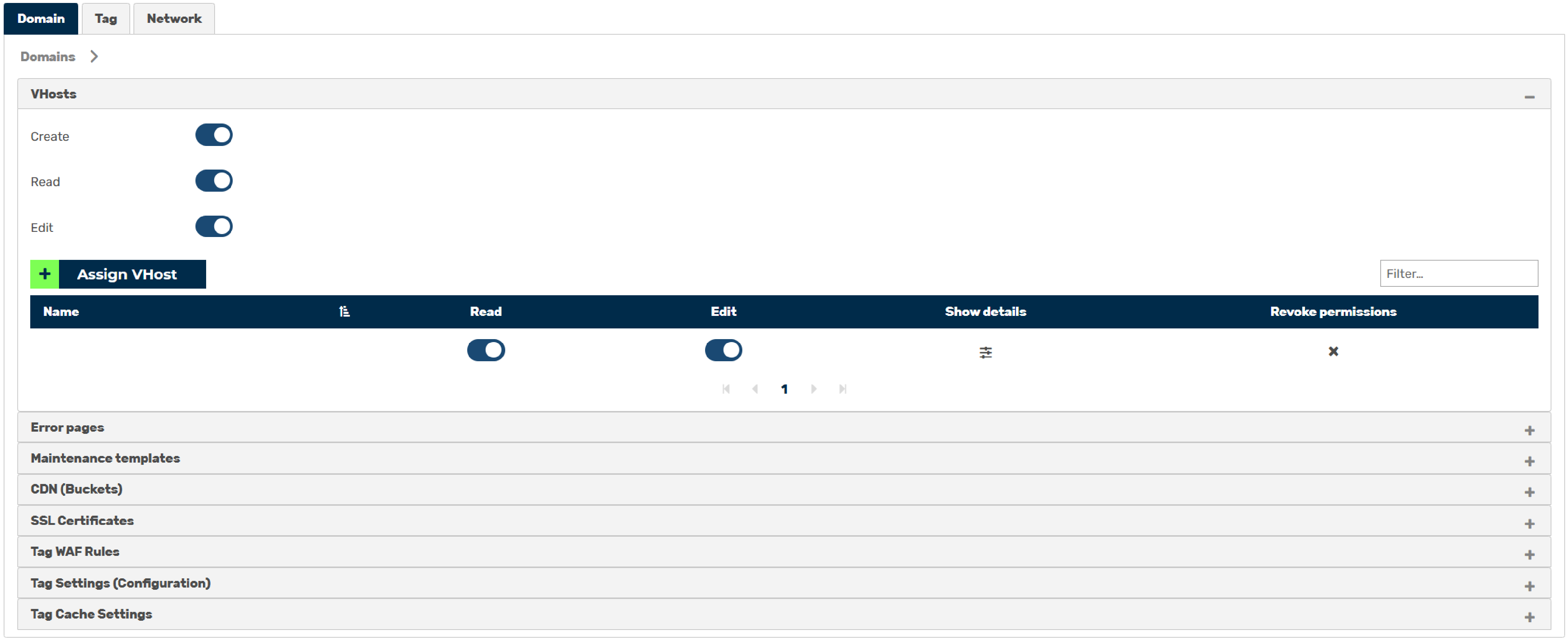
Local permissions - Domains tab (2)
A list of all the possible rights areas for a domain becomes visible with the following information:
| Name | Definition |
|---|---|
| VHosts | Defines whether an account or a group may view, modify, or add subdomains. A table with the following information is also available:
|
| Error pages | Defines whether the account or group may view, edit, or add error pages. |
| Maintenance templates | Defines whether the account or group may view, edit, or add templates for maintenance pages. |
| CDN (Buckets) | Defines whether the account or group may view, edit, or add data for the CDN. |
| SSL/TLS Certificates | Defines whether the account or group is allowed to view, edit, or add and update SSL/TLS certificates. |
After clicking on the icon under the corresponding subdomain entry, the view expands below the VHost tab.
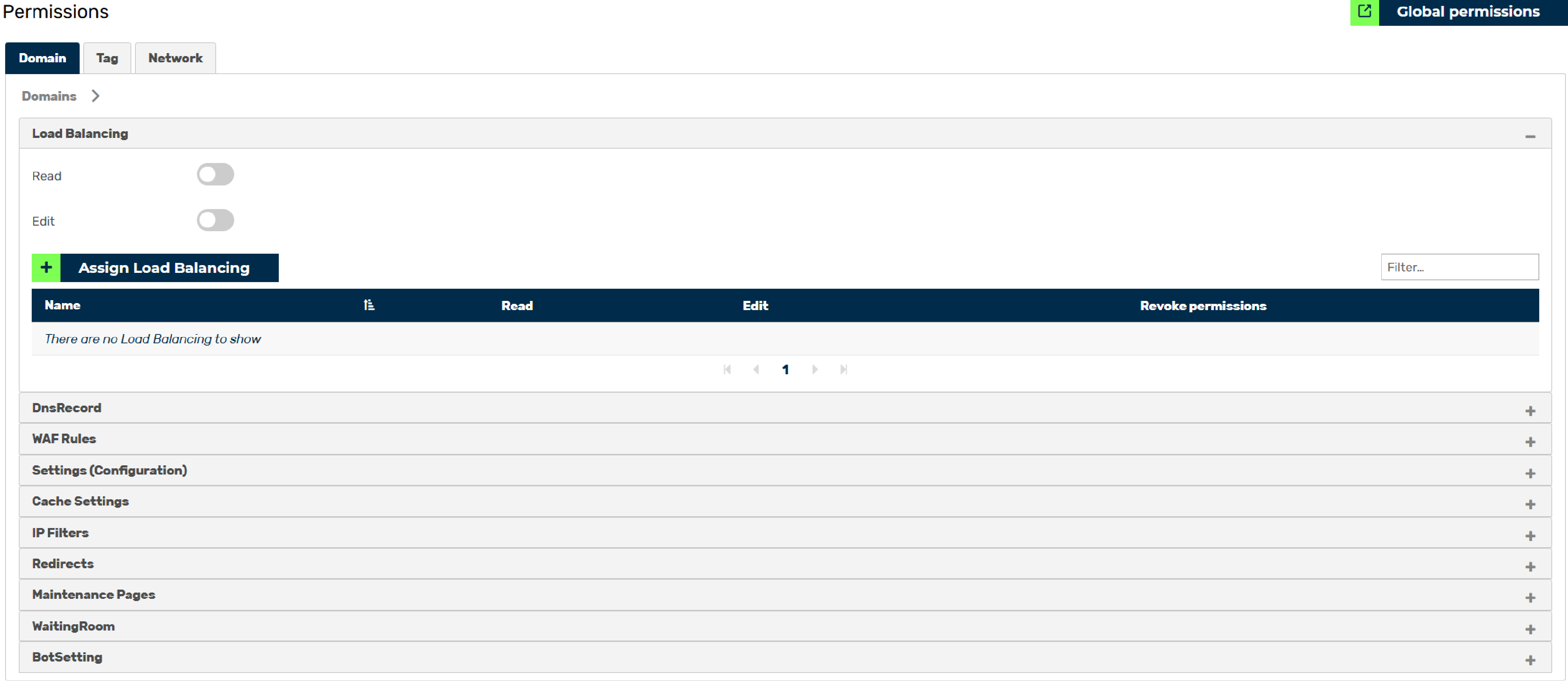
Local permissions - Domains tab (3)
A list of all the possible rights areas for a Vhost becomes visible with the following information:
| Name | Definition |
|---|---|
| Load Balancing | Defines whether an account or a group may view, modify, or add load balancing entries. A table with the following information is also available:
|
| DnsRecords | Defines whether the account or group may view, edit, or add DNS records. |
| WAF Rules | Defines whether the account or group may view, edit, or add WAF rules. |
| Settings (Configurations) | Defines whether the account or group may view or edit subdomain settings. |
| Cache Settings | Defines whether the account or group may view, edit, or add cache setting entries. |
| IP Filter | Defines whether the account or group may view, edit, or add entries in the allow list and block list. |
| Redirects | Defines whether the account or group may view, edit, or add redirect entries. |
| Maintenance Pages | Defines whether the account or group may view, edit, or add maintenance pages. |
| WaitingRoom | Defines whether the account or group may view, edit, or add waiting rooms. |
| Bot Setting | Defines whether the account or group may view, edit, or add bot settings. |