API tokens tab
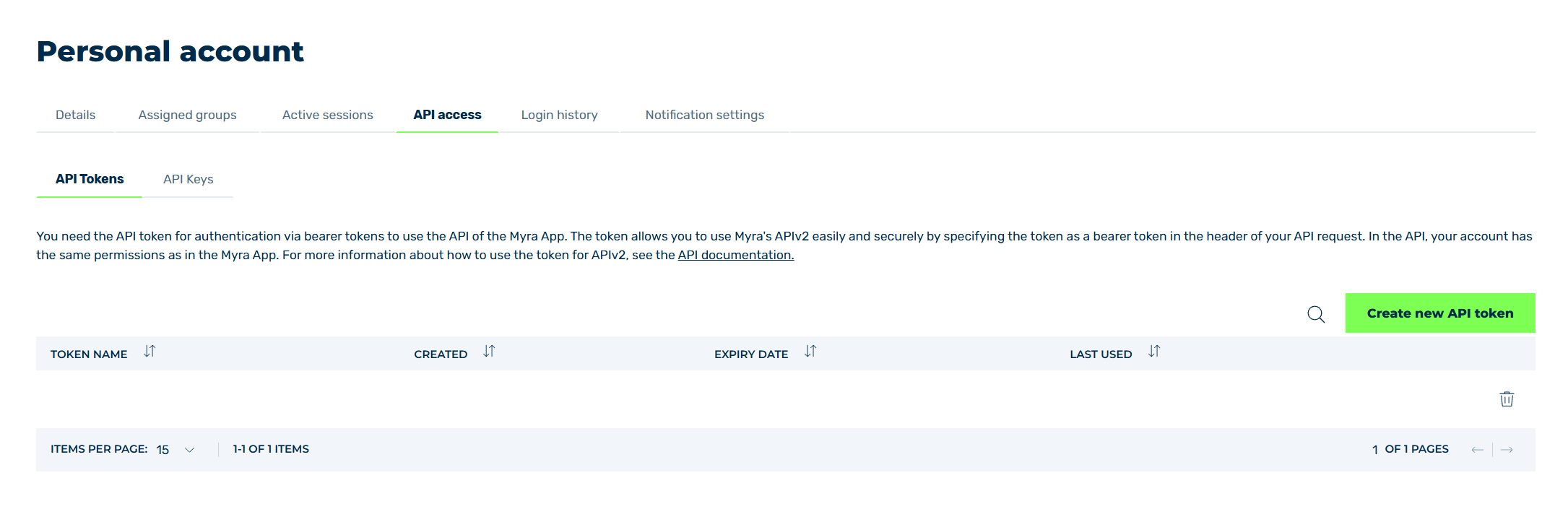
API tokens tab
In the API Tokens tab, you can create new API tokens, as well as view already added API tokens and delete them.
You need the API token for authentication via bearer tokens to use the API of the Myra App. The token allows you to use Myra's APIv2 easily and securely by specifying the token as a bearer token in the header of your API request. In API, your account has the same permissions as in the Myra App.
Click on the Generate new API token button to open the Generate new API token dialog for adding a new API token with validity.
The following information is available:
| Name | Definition |
|---|---|
| Token name | The name of the token. |
| Created | The date and time when the token was generated. |
| Expire Date | The date and time when the token expires.NoteBy default, an API token is valid for 90 days.NoteSpecifying an expiration date is optional and does not need to be set when creating an API token. |
| Last used | The date and time when the token was last used to execute an API request. |
The following options are available:
| Name | Definition |
|---|---|
 |
The icon opens the Delete API Token dialog for deleting the selected entry.AttentionWhen an entry is deleted, the entry and all associated settings are permanently deleted. To be able to restore an entry after deletion, you must create a brand-new one and reconfigure it. |
| Filter field | The field filters entries by names. |